EasyManua.ls Logo

Alpha-nav AN5650NV - User Manual

Alpha-nav AN5650NV
88 pages
Print Icon
To Next Page IconTo Next Page
Loading...
Alpha-nav
multimedia
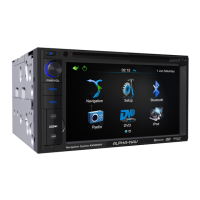
Multimedia Navigation System
Navigation System
User Manual
For AN5650NV
and AN5700NV

Table of Contents

Other manuals for Alpha-nav AN5650NV

Questions and Answers

  • J
    John BrownAug 19, 2025
    What to do if my Alpha-nav Car Navigation system won't power on?
    • J
      Jennifer Ortiz PhDAug 19, 2025
      If your Alpha-nav Car Navigation system fails to power on, there could be several reasons. It might be due to a blown radio fuse or car battery fuse, in which case you should install a new fuse with the correct rating. Alternatively, an illegal operation might have occurred; if so, press the RESET button located in the top left corner of the front panel.
  • C
    Christina WilkinsAug 21, 2025
    Why is there no audio output from my Alpha-nav AN5650NV Car Navigation system?
    • K
      kaiseramandaAug 21, 2025
      If you're experiencing no or low audio output from your Alpha-nav Car Navigation system, several factors could be responsible. Check the wiring connections and correct if improper. Ensure the volume isn't set too low, and increase it if necessary. Also, inspect the speakers for damage and replace them if needed. If the sound is only coming from the left or right speakers, check the balance control and set it to the center position. Verify that the MUTE function is off. Finally, check speaker wires and insulate all wiring connections if they are shorted to metal in the vehicle.
  • P
    Philip BurnsAug 23, 2025
    What to do if my Alpha-nav AN5650NV disc does not play back?
    • S
      Sarah TravisAug 23, 2025
      If your Alpha-nav Car Navigation system disc does not play back, it could be due to several reasons. The disc might be warped or scratched, so use a disc in good condition. It could also be dirty or wet, so clean it with a soft cloth. If the disc rating exceeds the Parental Lock rating limit, change the Parental Lock settings to a lower restriction. The disc region code might not be compatible with the unit, so use a disc with the proper region code. Finally, ensure the disc is inserted with the label side up.
  • Q
    qthomasAug 26, 2025
    How to fix poor sound quality or distortion on my Alpha-nav AN5650NV Car Navigation system?
    • V
      Valerie WilliamsAug 26, 2025
      Poor sound quality or distortion on your Alpha-nav Car Navigation system can stem from a few causes. If the disc is defective, use an original DVD/CD. If the speaker power rating isn't compatible with the unit, replace them with properly rated speakers. Also, check the speaker connections in case the speaker is shorted.
  • D
    David VasquezAug 28, 2025
    Why is my Alpha-nav Car Navigation system remote control not working?
    • S
      Shannon WilliamsAug 28, 2025
      If the remote control for your Alpha-nav Car Navigation system isn't functioning, the battery may be depleted, so replace it with a new one. Alternatively, the battery might be installed incorrectly; remove and reinstall it.
  • K
    Katherine SmithAug 30, 2025
    What causes interruption during playback on my Alpha-nav Car Navigation system?
    • E
      edwardsemilyAug 30, 2025
      If you experience interruptions during playback on your Alpha-nav Car Navigation system, it could be because the disc is dirty or scratched, so clean or replace the disc. Alternatively, the file may be damaged or a bad recording, so replace the disc with good files.
  • L
    Lisa WoodSep 1, 2025
    What does it mean when my Alpha-nav Car Navigation system says 'Bad Disc'?
    • D
      Daniel PierceSep 2, 2025
      If your Alpha-nav Car Navigation system shows a 'Bad Disc' error, it could mean the disc is dirty, so clean it with a soft cloth. Another possibility is that the disc is upside down, so insert it with the label side up.
  • A
    awarrenSep 4, 2025
    What does it mean when my Alpha-nav AN5650NV says 'No Disc'?
    • D
      Debra RoblesSep 4, 2025
      If your Alpha-nav Car Navigation system displays 'No Disc,' it could be due to several reasons. The disc might be dirty, so clean it with a soft cloth. It could also be inserted upside down, so ensure it's inserted with the label side up. Lastly, the disc might not be loaded at all, so insert a disc.
  • J
    jason13Sep 6, 2025
    Why is there no image on my Alpha-nav AN5650NV TFT monitor?
    • K
      Kenneth KellySep 6, 2025
      If there is no image on the TFT monitor of your Alpha-nav Car Navigation system, it could be because the PRK SW is on and the parking brake is not set. To resolve this, stop the vehicle in a safe place and apply the parking brake.
  • J
    Justin CruzSep 8, 2025
    Why is the image blurred, distorted, or dark on my Alpha-nav AN5650NV Car Navigation system?
    • A
      angelaholtSep 9, 2025
      If the image on your Alpha-nav Car Navigation system appears blurred, distorted, or dark, it might be because the disc is an illegally copied. Use an original disc to resolve this issue.

Summary

Warnings and Safety Information

Navigation Audio Options

Explains how to listen to audio programs while using the navigation system.

Getting Started with ALPHA-NAV

Initial Setup and Configuration

Guides the user through the initial setup process and configuration wizard.

Navigation Menu and Screen Controls

Details the main navigation menu options and explains various screen controls.

Understanding the Map Screen

Map Navigation and Elements

Explains map navigation, position markers, and objects displayed on the map.

Map Interaction and Quick Menu

Covers map interaction techniques and the frequently used Quick menu.

Current Position Details

Details how to access and interpret information about the current location.

Route Planning and Management

Selecting Destinations

Covers various methods for selecting destinations, including addresses, places, and map locations.

Route Modification and Alternatives

Explains how to modify active routes, check alternatives, and change planning parameters.

Saving Locations and Simulations

Covers saving favorite locations, alert points, and route simulations.

Advanced Navigation Features and Settings

Off-Road Navigation

Explains how to select destinations and navigate in off-road mode.

Reference Guide Concepts

Describes concepts like Smart Zoom, color themes, and route calculation methods.

System Settings and Customization

Details various settings for sound, maps, display, regional options, and traffic.

Glossary and Copyright

Glossary of Terms

Provides definitions for key terms and concepts used in the manual.

Copyright Information

Contains copyright details and terms of use for the product and manual.

Alpha-nav AN5650NV Specifications

General IconGeneral
BrandAlpha-nav
ModelAN5650NV
CategoryCar Navigation system
LanguageEnglish