EasyManua.ls Logo

Alpha-nav AN5650NV - User Manual

Alpha-nav AN5650NV
88 pages
Print Icon
To Next Page IconTo Next Page
Loading...
Alpha-nav
multimedia
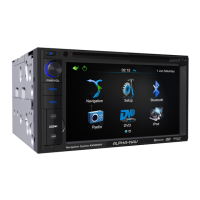
Multimedia Navigation System
Navigation System
User Manual
For AN5650NV
and AN5700NV

Table of Contents

Other manuals for Alpha-nav AN5650NV

Questions and Answers

  • Z
    Zachary JohnsonSep 12, 2025
    How to improve weak radio reception on my Alpha-nav Car Navigation system?
    • M
      Michael PhillipsSep 12, 2025
      If you're experiencing weak radio reception on your Alpha-nav Car Navigation system, the LOCAL function might be activated. Turn the local function off to improve reception.
  • G
    Gail SantiagoSep 13, 2025
    What does 'Region Error' mean on my Alpha-nav Car Navigation system?
    • M
      marissa32Sep 13, 2025
      A 'Region Error' on your Alpha-nav Car Navigation system indicates that the DVD has the wrong region code. Use a DVD with the proper region code to resolve this.
  • C
    Cynthia WalkerSep 15, 2025
    What does 'Error' mean on my Alpha-nav AN5650NV Car Navigation system?
    • J
      Jordan SmithSep 15, 2025
      If your Alpha-nav Car Navigation system displays an 'Error' message, it could be due to improper mechanism operation. To reset the loading mechanism, press the EJECT key for 5 seconds.

Summary

Warnings and Safety Information

Navigation Audio Options

Explains how to listen to audio programs while using the navigation system.

Getting Started with ALPHA-NAV

Initial Setup and Configuration

Guides the user through the initial setup process and configuration wizard.

Navigation Menu and Screen Controls

Details the main navigation menu options and explains various screen controls.

Understanding the Map Screen

Map Navigation and Elements

Explains map navigation, position markers, and objects displayed on the map.

Map Interaction and Quick Menu

Covers map interaction techniques and the frequently used Quick menu.

Current Position Details

Details how to access and interpret information about the current location.

Route Planning and Management

Selecting Destinations

Covers various methods for selecting destinations, including addresses, places, and map locations.

Route Modification and Alternatives

Explains how to modify active routes, check alternatives, and change planning parameters.

Saving Locations and Simulations

Covers saving favorite locations, alert points, and route simulations.

Advanced Navigation Features and Settings

Off-Road Navigation

Explains how to select destinations and navigate in off-road mode.

Reference Guide Concepts

Describes concepts like Smart Zoom, color themes, and route calculation methods.

System Settings and Customization

Details various settings for sound, maps, display, regional options, and traffic.

Glossary and Copyright

Glossary of Terms

Provides definitions for key terms and concepts used in the manual.

Copyright Information

Contains copyright details and terms of use for the product and manual.

Alpha-nav AN5650NV Specifications

General IconGeneral
BrandAlpha-nav
ModelAN5650NV
CategoryCar Navigation system
LanguageEnglish