SYSTEM SETTINGS
7
Settings - 99
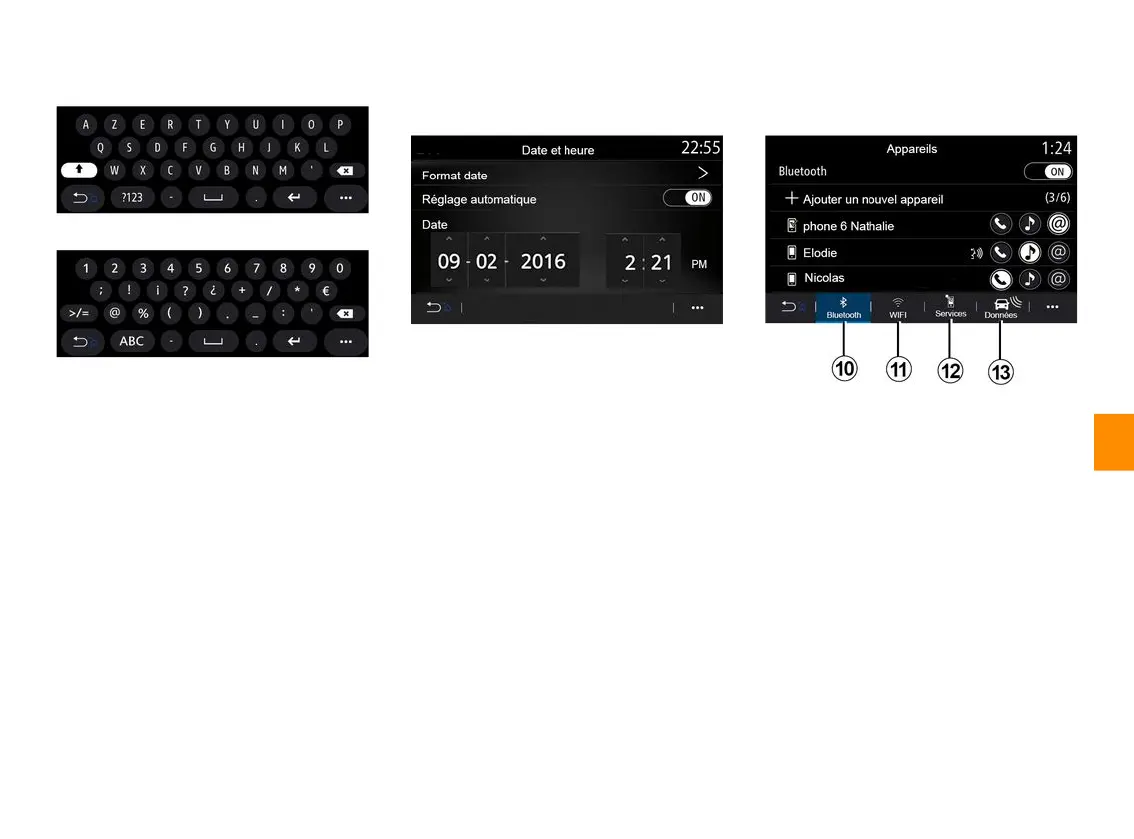
«Keyboard»
Use this menu to choose one of the
following virtual keypads:
– « Alphabetic » ;
– « Azerty » ;
– « Qwerty » ;
– « Cyrillic » ;
– « Greek » ;
– ...
When you start entering text the
multimedia system may suggest
associated words.
You can select the keypad type from
the keypad pop-up menu.
«Dateandtime»
You can use this menu to adjust:
– the display mode;
– the date;
– the time (12 hours or 24 hours);
– the "Analogue" or "Digital" clock;
– automatic adjustment;
– adjustment of time and date.
Note: it is recommended to keep the
automatic setting.
«Devicesmanager»
Use this menu to configure different
connections to your multimedia
system:
– « Bluetooth® »
10
;
– « WIFI »
11
;
– « Services »
12
;
– « Data sharing »
13
.
From the "Bluetooth®" tab
10
, you can
pair/connect your telephone(s) to the
multimedia system. For more
information, please refer to the section
on "Pairing, unpairing a phone".
Note: the list of settings may vary
according to the equipment.



 To Next Page