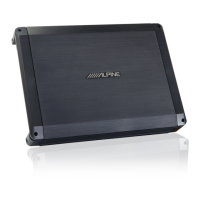
ALPINE HDA-M80/HDA-F60/HDA-V90 68-44781Z25-A (EN/DE/FR/ES/IT/SE/RU/CS)ALPINE HDA-M80/HDA-F60/HDA-V90 68-44781Z25-A (EN/DE/FR/ES/IT/SE/RU/CS)
12-EN
Basic Connection Diagram for HDA-F60
Head Unit, etc.
Front Output
Rear Output
Subwoofer Output
Front Speakers
Rear Speaker
For HDA-F60, change the Input Channel Selector Switch ( ) setting according to the number of channels
of the speaker input.
4-Channel Input:
2-Channel Input:
[3/4]
[1/2]
4 Speaker System
[LO]
* If the connected head unit does not have a Speaker Output and RCA Extension Cables ( ) cannot be
used, you can use the Speaker-RCA Conversion Cable ( ) (sold separately). For details on how to make a
connection, see “About Connection to the Speaker Input Level System” (page 17).
Dual Voice Coil Subwoofer System
Refer to “Subwoofer System” (page 11).
Parallel connection Series connection
* In the case of using a series connection, the lead wire of the Dual Voice Coil Subwoofer ( ) can be
connected to either the (+)/(-) terminal of the Speaker Connector ( ).
Multiple Mono Amplifier System (Connection example with HDA-F60)
[LO]
[LO]
• For details on the Input Channel Selector Switch ( ) of HDA-F60, see “Basic Connection Diagram for
HDA-F60” (page 13).


 To Next Page