34
Using Dolby Surround
English
1
2
3
Using the Pro Logic mode
This function is for processing audio signals
recorded onto two channels into Dolby Pro
Logic surround signals.
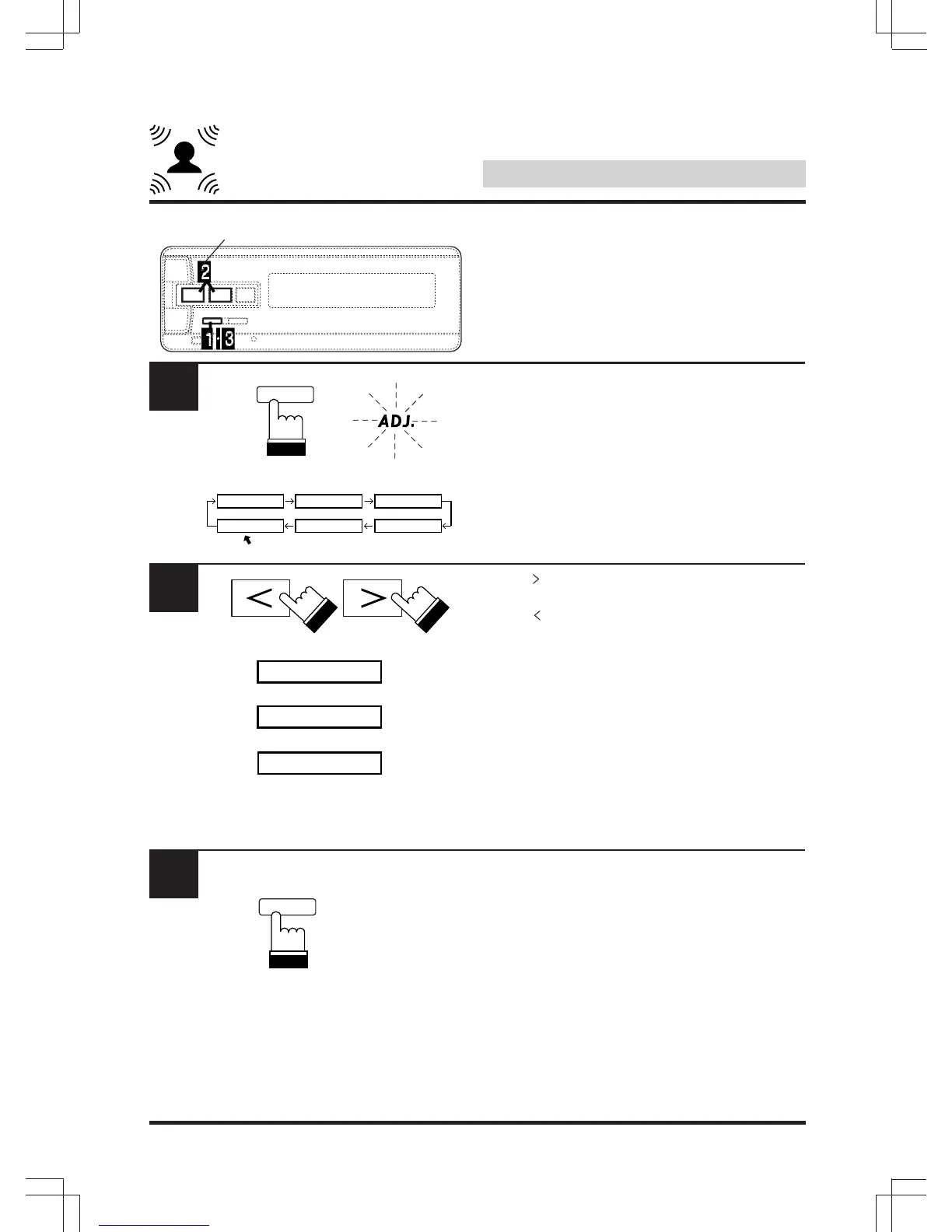
Press “A.PROC” and select the “DOLBY
SURROUND” mode.
Press “ ” and set the “PRO LOGIC” mode.
The audio mode indicator lights (amber).
When “ ” is pressed, the off mode is set.
The audio mode indicator turns off.
Note: The operation in step 2 above cannot
be performed when Dolby Digital signals
are being input.
In this case, the Dolby Surround mode is
automatically set to “DIGITAL”.
The audio mode indicator lights (green).
To quit, press “A.PROC”.
Notes:
• When you want to enjoy sound of Dolby
Digital system in the PROLOGIC mode, set
the mode to “LPCM” in “Digital Output
Setting” of the DVD player.
• Sound volume in the digital mode and
PROLOGIC mode may differ with the sound
volume in the OFF mode, depending on the
settings and softeners to be playedback. In
this case, adjust the “Speaker Level” in the
digital mode and PROLOGIC mode so that
the sound difference does not occur.
Audio mode indicator/Indicateur du mode
audio/Indicador del modo de audio
A.PROC
DEF.
A.PROC
DEF.
IIIIIII SURROUND
DOLBY TIMETCRR PRIVATE
PARAMEEQ
SURR OFF
PROLOGIC
(OFF mode/Mode d'arrêt/
Modo desactivado)
(Prologic mode/Mode Prologic/
Modo Prologic )
DIGITAL
(Digital mode/Mode numérique/
Modo digital)



 To Next Page