66
English/Français/Español
English
Other Operations
1
A.PROC
DEF.
IIIIIII PARAMEEQ SURROUND
DOLBY TIMETCRR PRIVATE
2
NORMAL STADIUM LIVE
HALL DANCE CHURCH
3
ENT
Adjusting the surround
sound
With the PXA-H510, DSP (digital signal
processing) can be used to create a variety of
sound fields. The PXA-H510 offers a choice of
six surround modes for use with different music
sources.
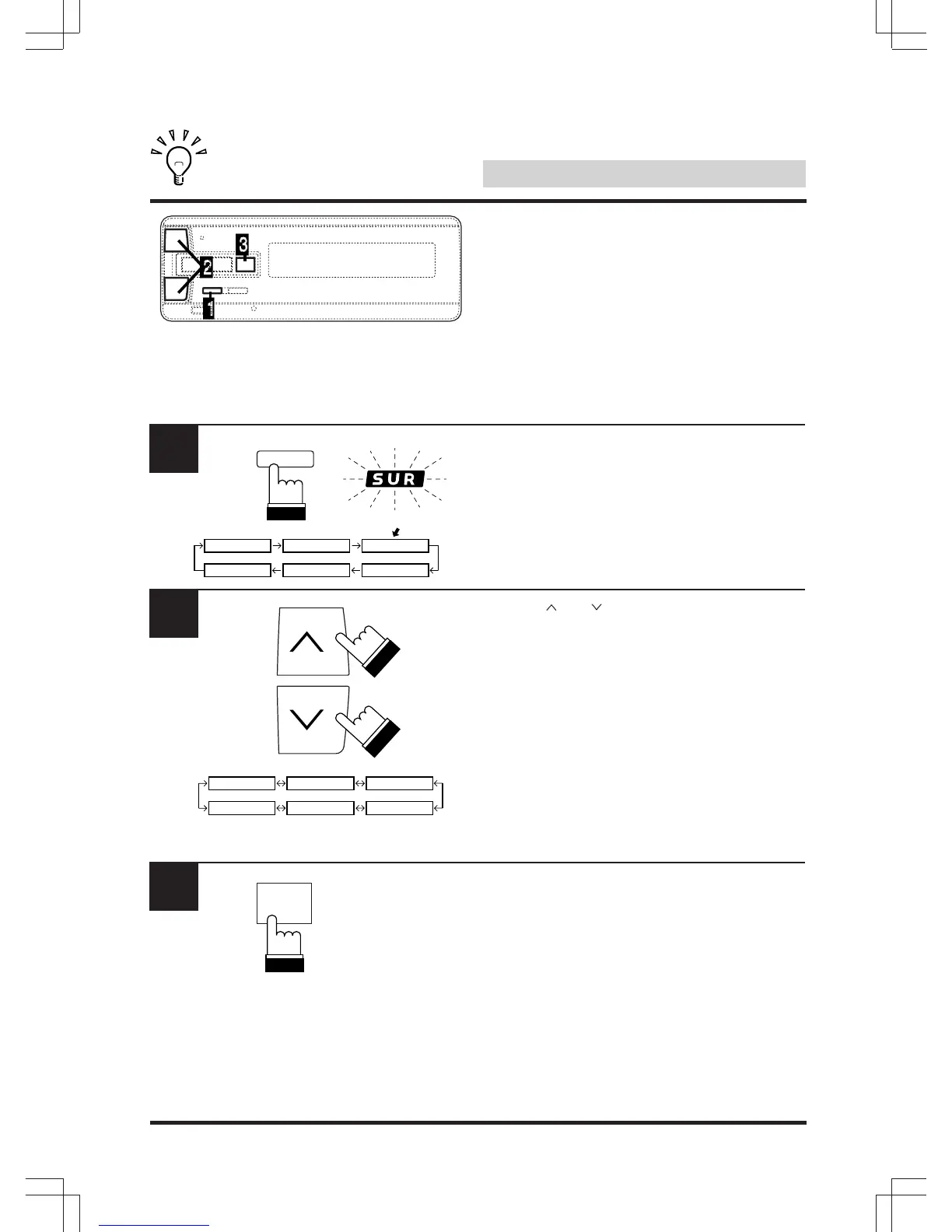
Press “A.PROC” and select the “SUR” (sur-
round) mode.
The “SUR” indicator lights.
Use the “ ” or “ ” key to select the desired
surround mode.
There is a choice of six preset surround modes.
Refer to “Preset Surround Modes” on page 68.
To quit, press “A.PROC” 4 times.
To make further adjustments, proceed to step
3 .
Note: This function cannot be used when the
Dolby Surround mode is set to “Digital” or
“Pro Logic”.
Press “ENT”.



 To Next Page