76
English/Français/Español
English
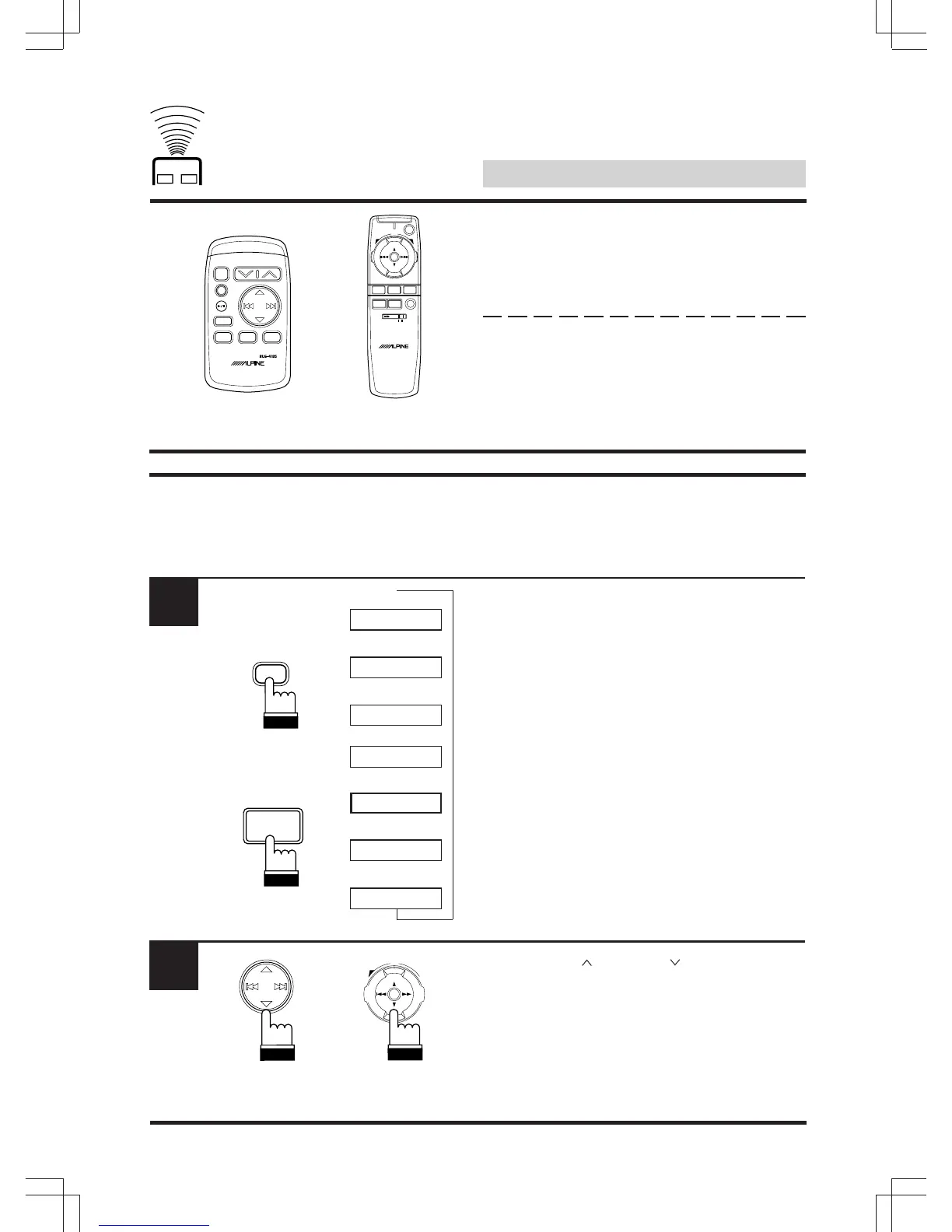
Remote Control Operation
If an Alpine, Ai-Net compatible head unit is
connected to the PXA-H510, some or all of the
EQ’s functions can be controlled from the head
unit’s remote control.
Notes:
• The following display examples appear in
the Alpine Ai-compatible head unit displays.
• These displays will differ depending upon
the Alpine head unit connected.
Recalling the personal
settings in memory
Press the “A.PROC” button and select the
Private mode.
*: Some functions or displays are limited
depending on the Head Unit used.
Press the Up “ ” or Down “ ” button to select
the stored setting from PRESET 1 to PRESET
6.
Note: The PXA-H510 can recall the Personal
settings in memory only.
1
Head Unit
EQ
SUR
BBE
Private
LPS
T.CORR.
2
↑
↑
↑
↑
↑
↑
↑
RUE-4185 RUE-4160/
RUE-4162
RUE-4185
RUE-4160/
RUE-4162
A.PROC
VISUAL
SEL
AUDIO
SEL
BAND
PROG
DEFEATA.PROC
MUTE
SELECT
AV
CD/3D/6D
PWR
UP
VOL
DN
REMOTE CONTROL UNIT
RUE-4160
ENT
REMOTE CONTROL UNIT
BAND
PROG
SOURCE A.PROC
CD-CHG
ENT
PWR
MUTE
VOLUME
A.PROC
RUE-4185 RUE-4160/
RUE-4162
UP
VOL
DN
ENT
*



 To Next Page