46
Using Dolby Surround
English
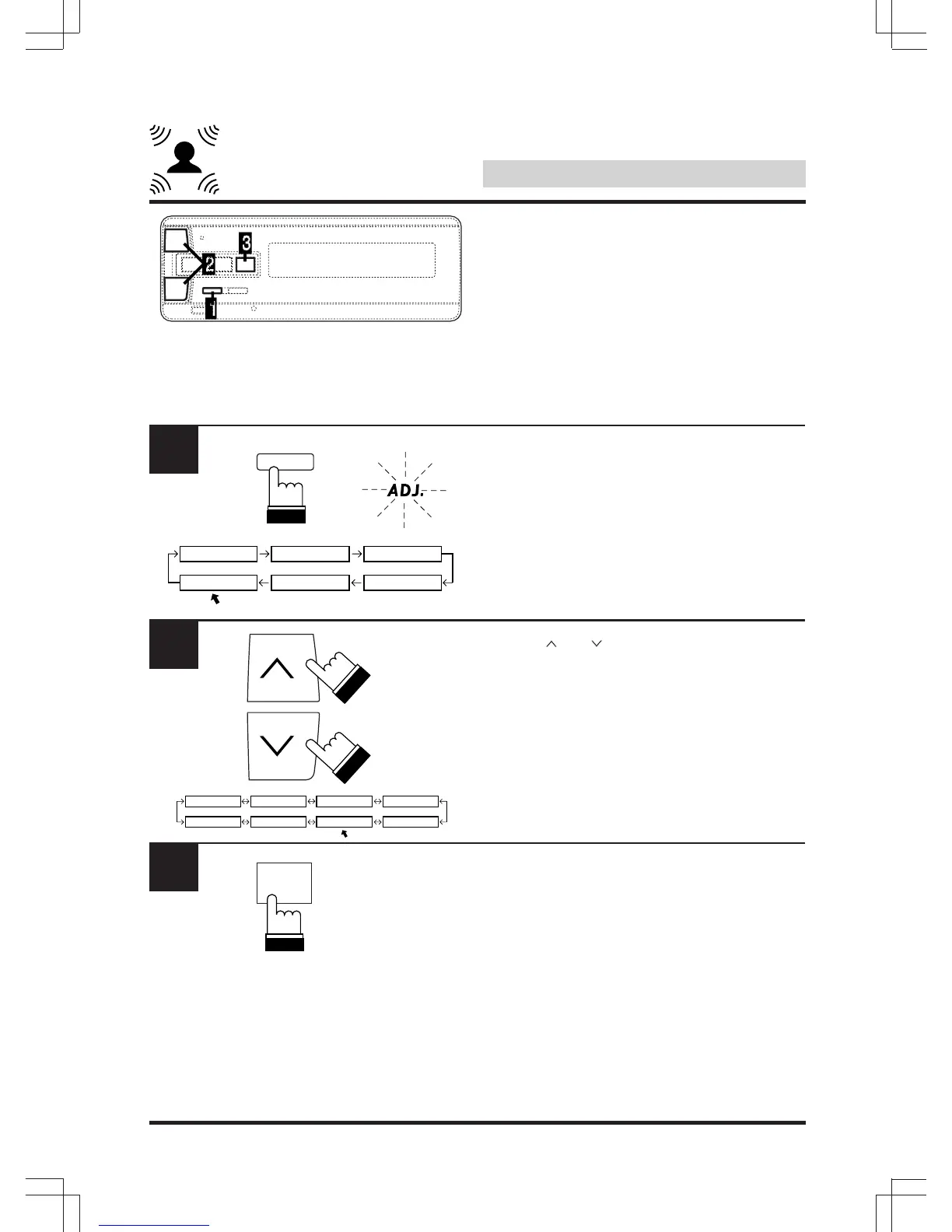
Center speaker time
correction
Use this function after adjusting the time delay
of the various speakers (“Using time correction”
on pages 26 – 32). Set the time correction for
the center speaker in order to achieve a sound
with a greater sense of presence.
Press “A.PROC” and select the “DOLBY
SURROUND” mode.
Use the “ ” or “ ” key to select the “C DELAY”
(center time delay) mode.
In this mode set the time correction for the
center speaker.
Press “ENT”.
1
A.PROC
DEF.
2
IIIIIII SURROUND
DOLBY TIMETCRR PRIVATE
PARAMEEQ
DOLBY
SPEAKER TESTTONE
LISTEN R DELAY C DELAY
BI-PHTM
REAR-MIX
3
ENT



 To Next Page