40
Using Dolby Surround
English
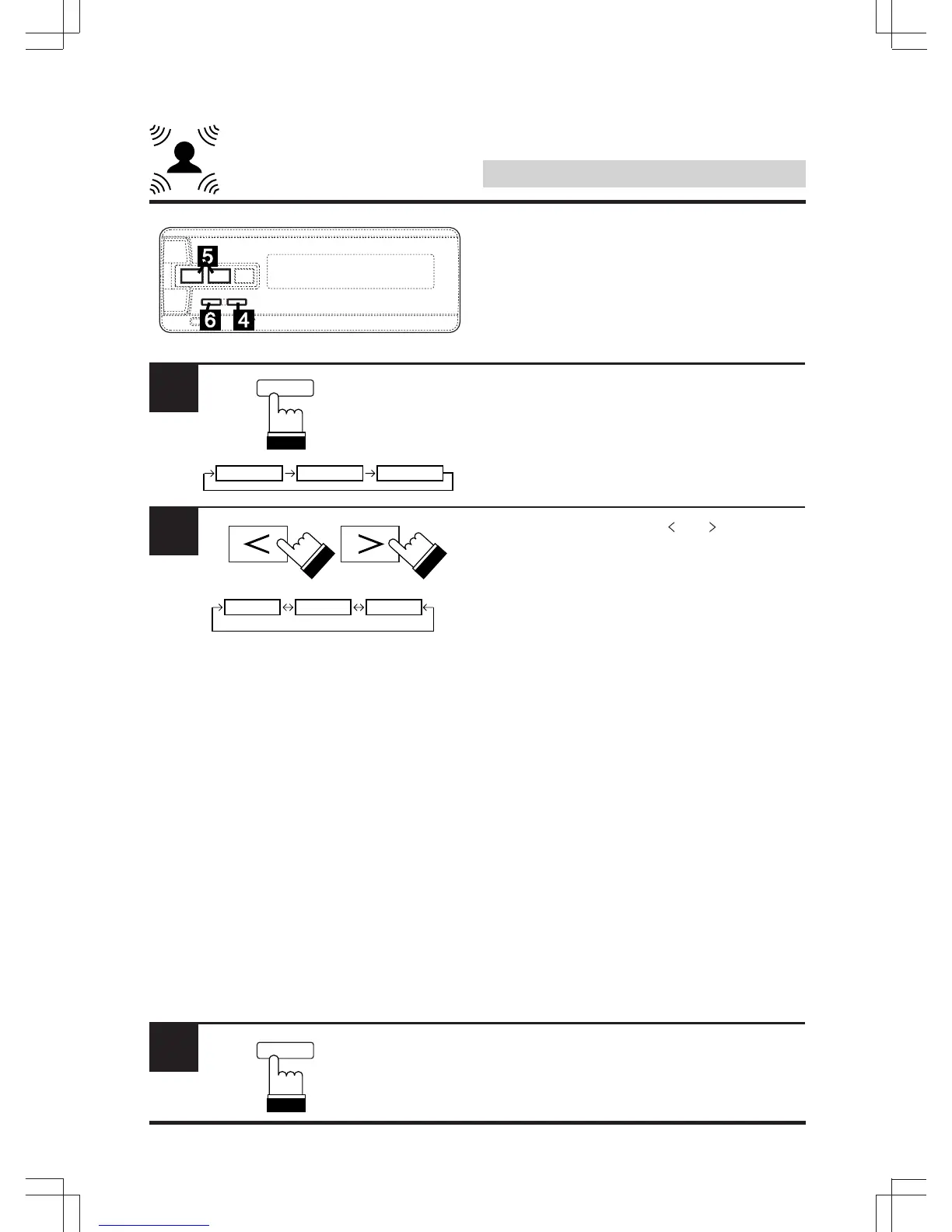
Within 5 seconds, press “BAND” and select the
speaker(s) to be adjusted.
(FR: Front CE: Center RE: Rear)
Within 5 seconds, use the “ ” or “ ” key to
switch the mode.
LARGE: When a speaker that can reproduce
low frequencies (80 Hz or less) is
connected.
SMALL: When a speaker that cannot repro-
duce low frequencies (80 Hz or less)
is connected.
OFF: When no speaker is connected.
Notes:
*1 The front speakers cannot be set to “OFF”.
*2 When the front speakers are set to
“SMALL”, the rear and center speakers
cannot be set to “LARGE”.
• When the center speaker is set to “OFF”, the
audio signals for the center are added to the
audio signals output from the front speakers.
• When the rear speaker mode is set to
“LARGE” with the Pro Logic mode used, the
subwoofer output is not obtained.
To quit, press “A.PROC”.
Setting the speaker mode
(Continued)
4
BAND
OFF LARGE SMALL
*1 *2
FR CE RE
5
6
A.PROC
DEF.



 To Next Page