50
Using Dolby Surround
English
Rear speaker time correc-
tion
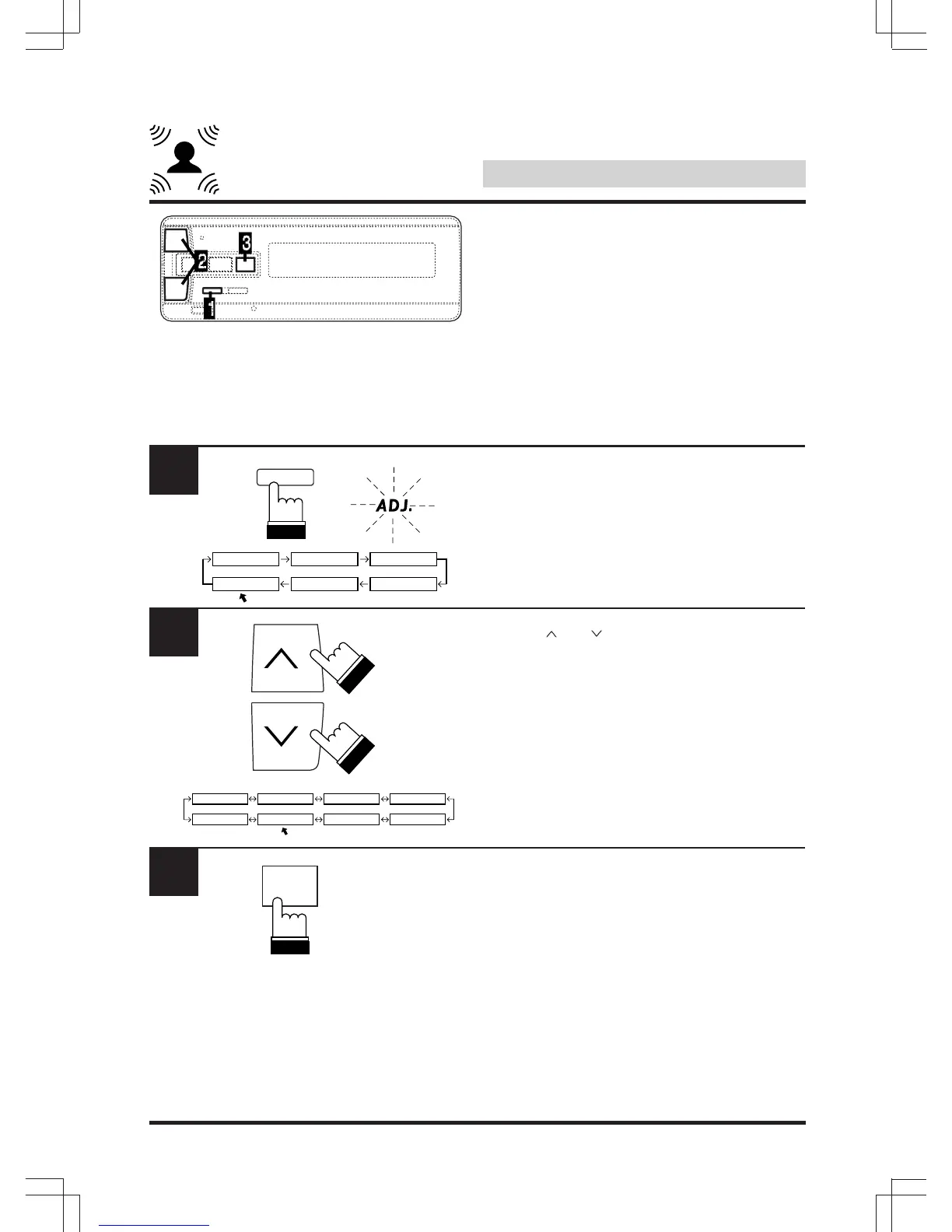
Use this function after adjusting the time delay
of the various speakers. Add the time delay of
the rear speakers to the value adjusted under
“Using time correction” on pages 26 – 32 to
achieve a sound with a greater sense of
expansion.
Press “A.PROC” and select the “DOLBY
SURROUND” mode.
Use the “ ” or “ ” key to select the “R DELAY”
(surround time delay) mode.
In this mode set the time correction for the rear
speakers.
Press “ENT”.
1
A.PROC
DEF.
IIIIIII SURROUND
DOLBY TIMETCRR PRIVATE
PARAMEEQ
2
DOLBY
SPEAKER TESTTONE
LISTEN R DELAY C DELAY
BI-PHTM
REAR-MIX
3
ENT



 To Next Page