78
English/Français/Español
English
Remote Control Operation
Storing the settings
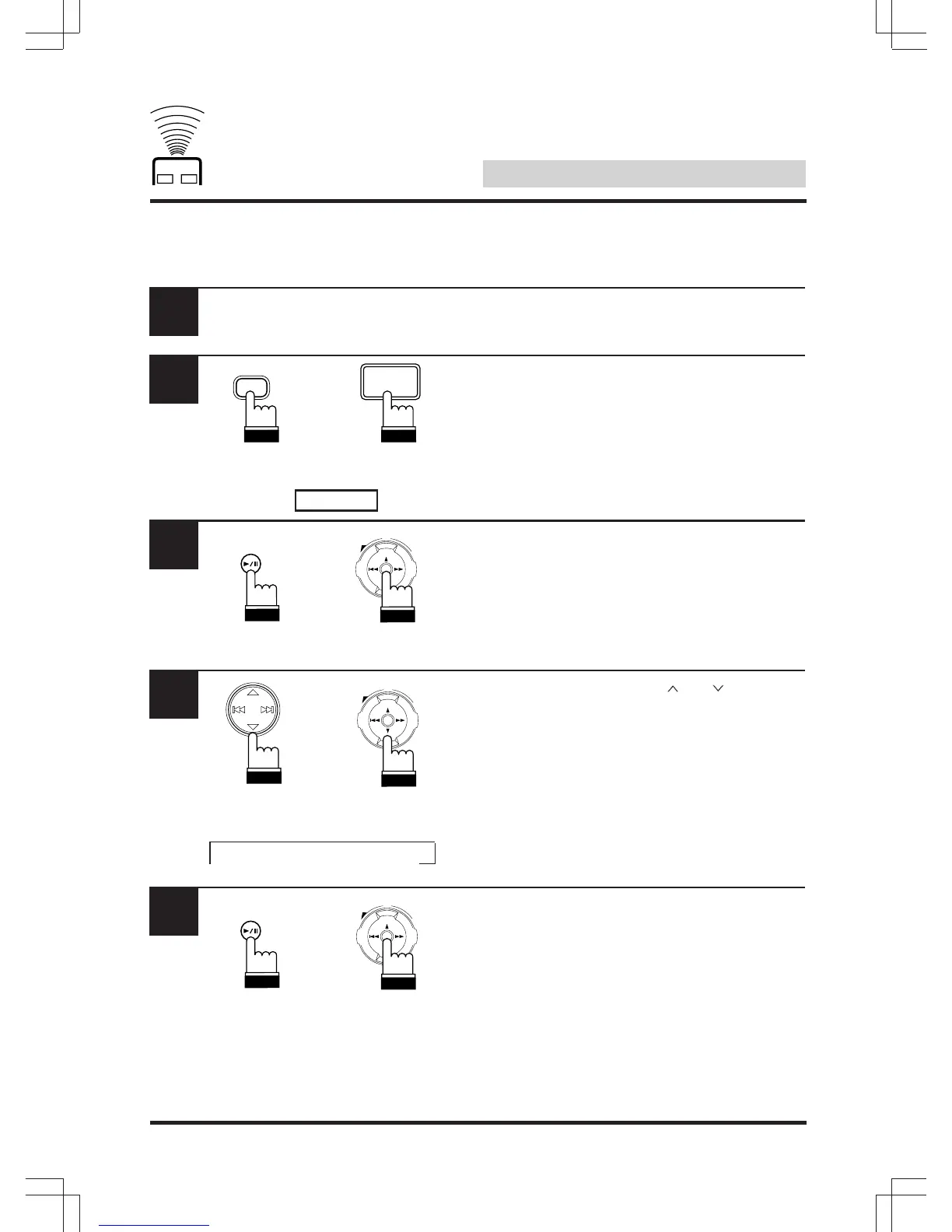
Once the settings you want to store in the
memory have been adjusted.
Press “A.PROC” and select the “PRIVATE”
mode.
Press and hold “ENT” for at least 2 seconds.
Within 5 seconds, use the “ ” or “ ” key to
select the number at which you want to store
the settings (“MEMO1” to “MEMO6”).
Within 5 seconds, press “ENT”.
1
2
3
4
5
A.PROC
UP
VOL
DN
ENT
UP
VOL
DN
ENT
PRIVATE
A.PROC
ENT
UP
VOL
DN
ENT
ENT
→ 1 → 2 → 3 → 4 → 5 → 6
RUE-4185
RUE-4160/
RUE-4162
RUE-4185 RUE-4160/
RUE-4162
RUE-4185
RUE-4160/
RUE-4162
RUE-4185
RUE-4160/
RUE-4162


 To Next Page
 Loading...








