48
5-3
Compiling the Design
You can click the compile button to start compilation.
1. It will create a SOF file (DE2_Default.sof) for user to program the FPGA. To
program the active serial device, you need to convert programming file to
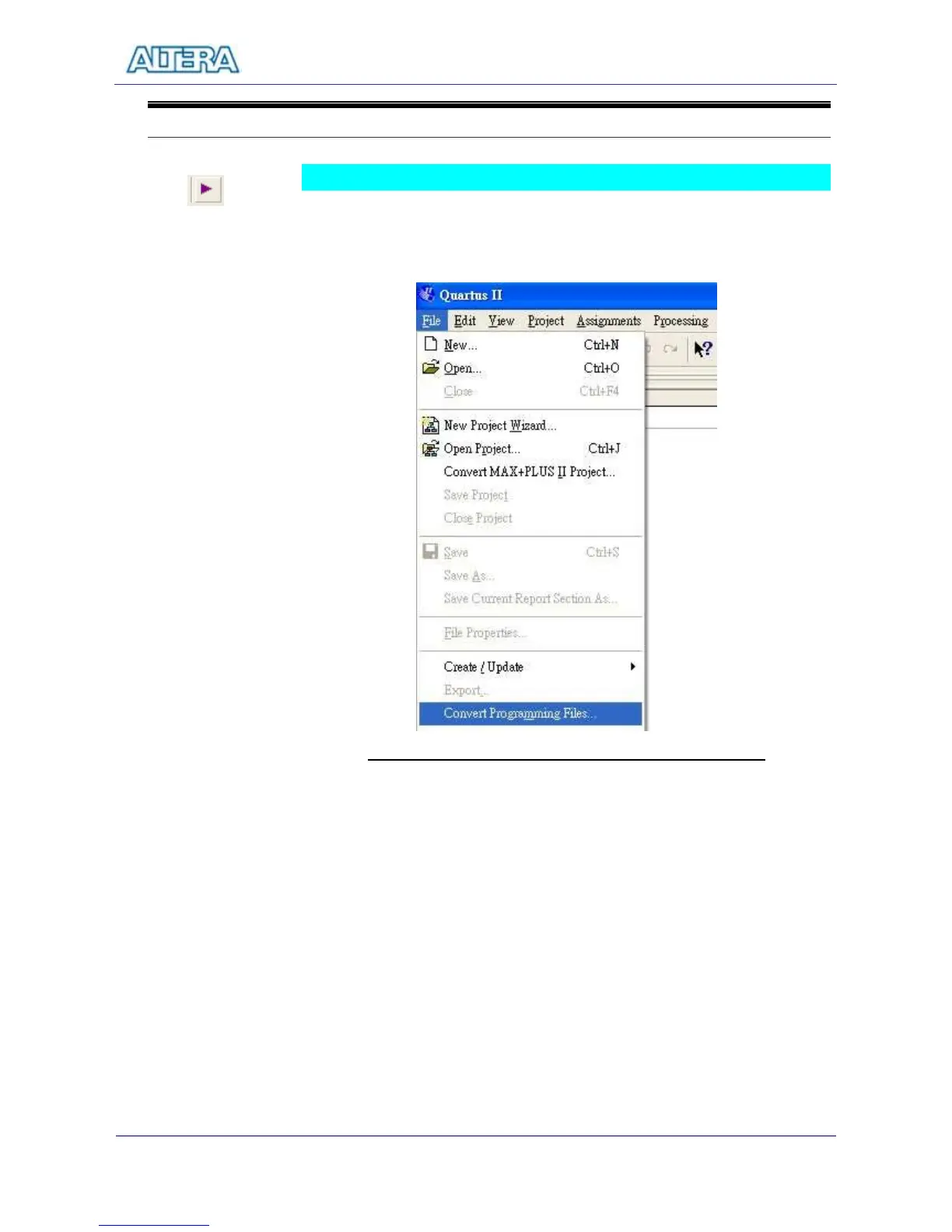
POF format. Figure 5.3 shows the Convert Programming File menu.
Figure 5.3. Open the menu for Converting Programming Files
2. In the Convert Programming Files Menu, Select EPCS16 as our
configuration devices; change the output File name to your desired name
with POF extension.
3. click on SOF Data label and click on Add File button. Select
DE2_Default.sof.
4. Click OK again in the Convert Programming Files window to create the POF
file.



 To Next Page