52
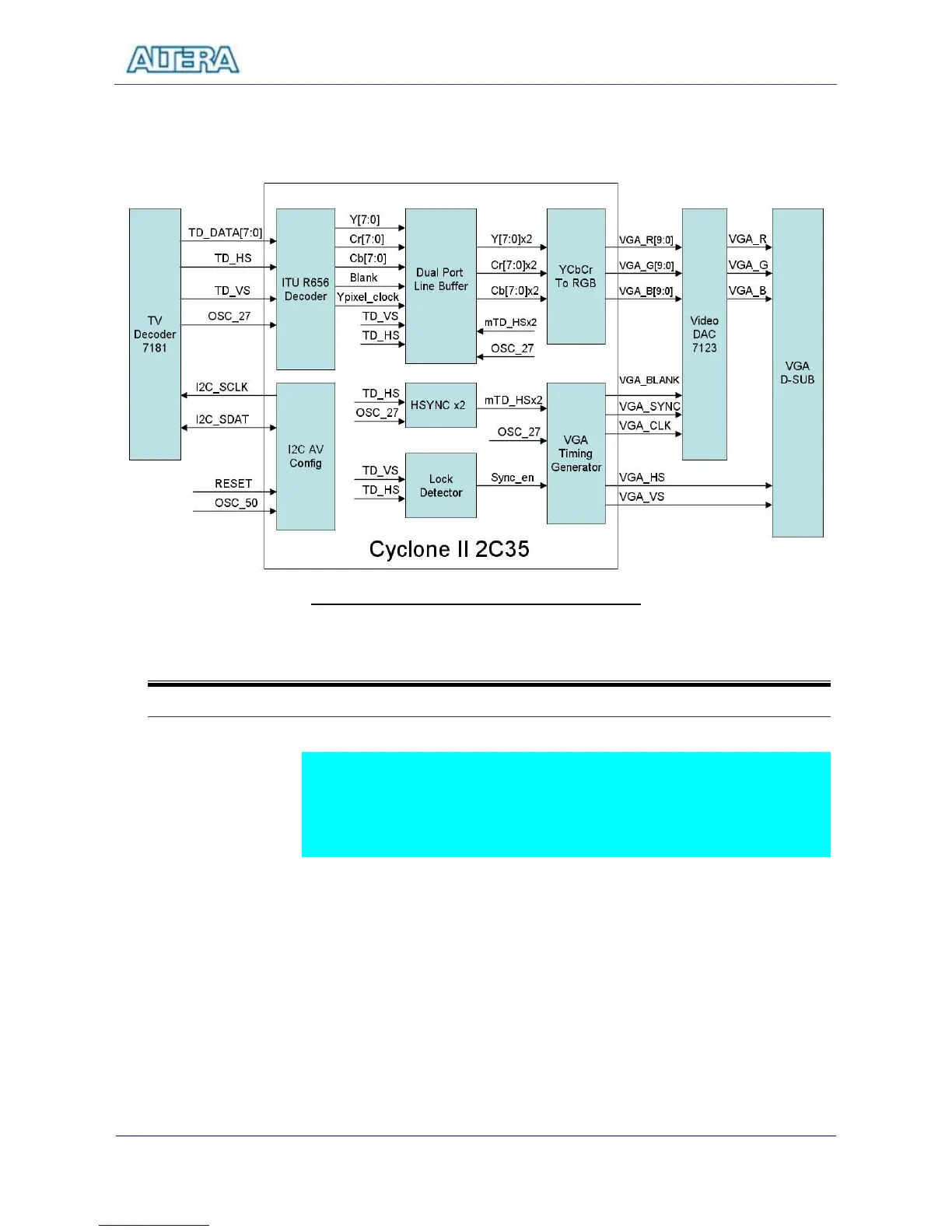
VGA Timing Generator block generates standard VGA sync signals – VGA_HS
and VGA_VS - to enable the display on a VGA monitor.
Figure 6.1 The block diagram of the TV Box design
6-2
Lab Setup and Instructions
Project Directory: C:\DE2\DE2_TV
Bitstream Used: C:\DE2\DE2_TV\DE2_TV.sof or DE2_TV.pof
Refer to Figure 6.2 and setup the lab according to the following steps:
Connect a DVD player’s Video output to the Video IN RCA Jack of the DE2
board.
Connect the VGA output of the DE2 board to a LCD/CRT Monitor.
Connect the audio output of the DVD player to the line-in port of the DE2
board and connect a speaker to the line-out port
Load the bitstream into FPGA
Now you can control your DVD players to play movie.
Press KEY0 to reset the circuit every time after power ON cycle.



 To Next Page