61
9-2
Lab Setup and Instructions
Project Directory: C:\DE2\DE2_i2sound
Bitstream Used: i2sound.sof or i2sound.pof
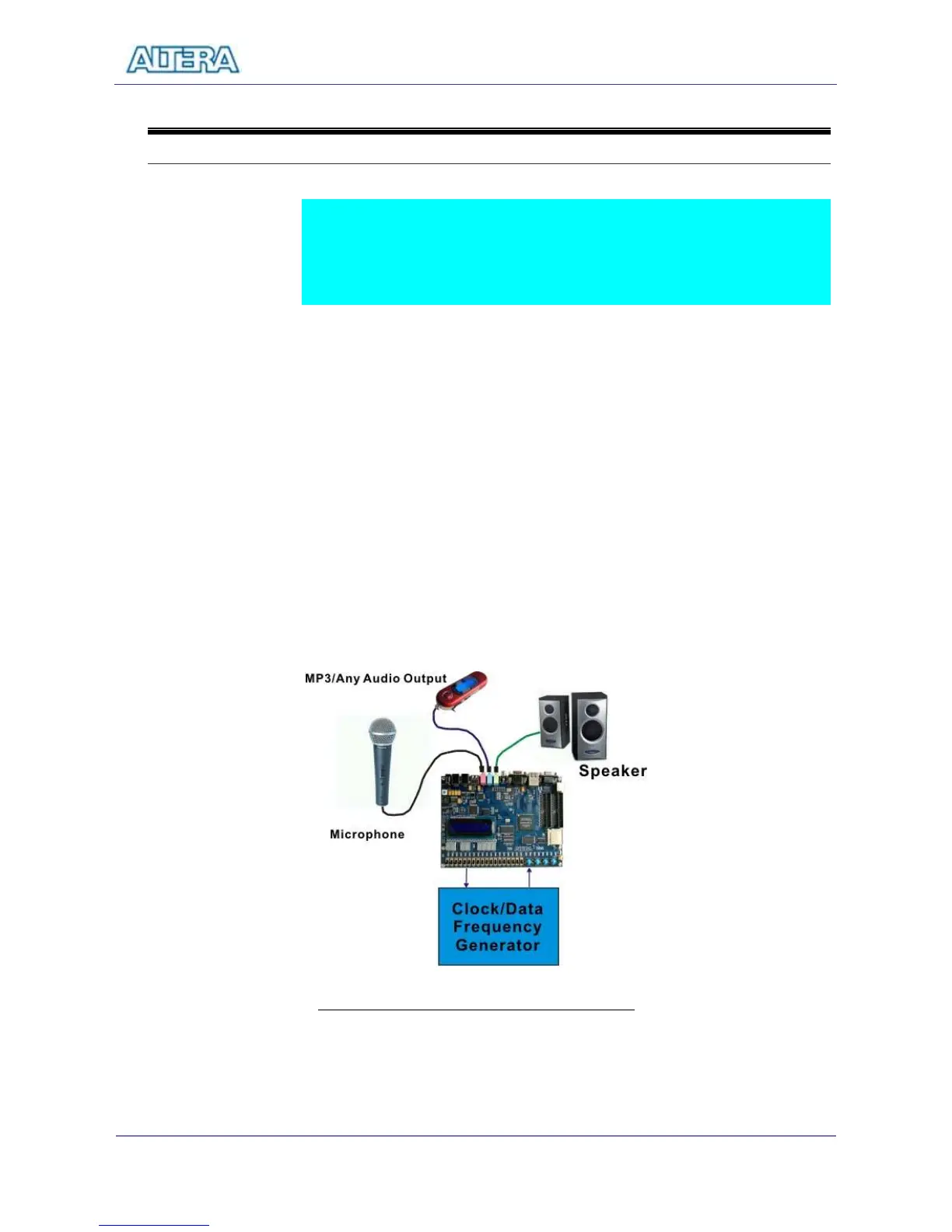
Refer to Figure 9.2 and setup the lab according to the following steps:
Connect a microphone to the MIC connector (pink color) of the DE2 board.
Connect a MP3/IPOD/PC audio output to the LINEIN connector (blue color)
of the DE2 board.
Connect a headset/speaker to the LINEOUT connector (green color) of the
DE2.
Load the bitstream into FPGA
Now you can hear the sound from the speaker which is the mix of your voice
from microphone and the sound from the MP3 player.
Press KEY0 to adjust the volume – circle through volume 0-9.
Figure 9.2 The Lab Setup for a Karaoke Machine



 To Next Page