63
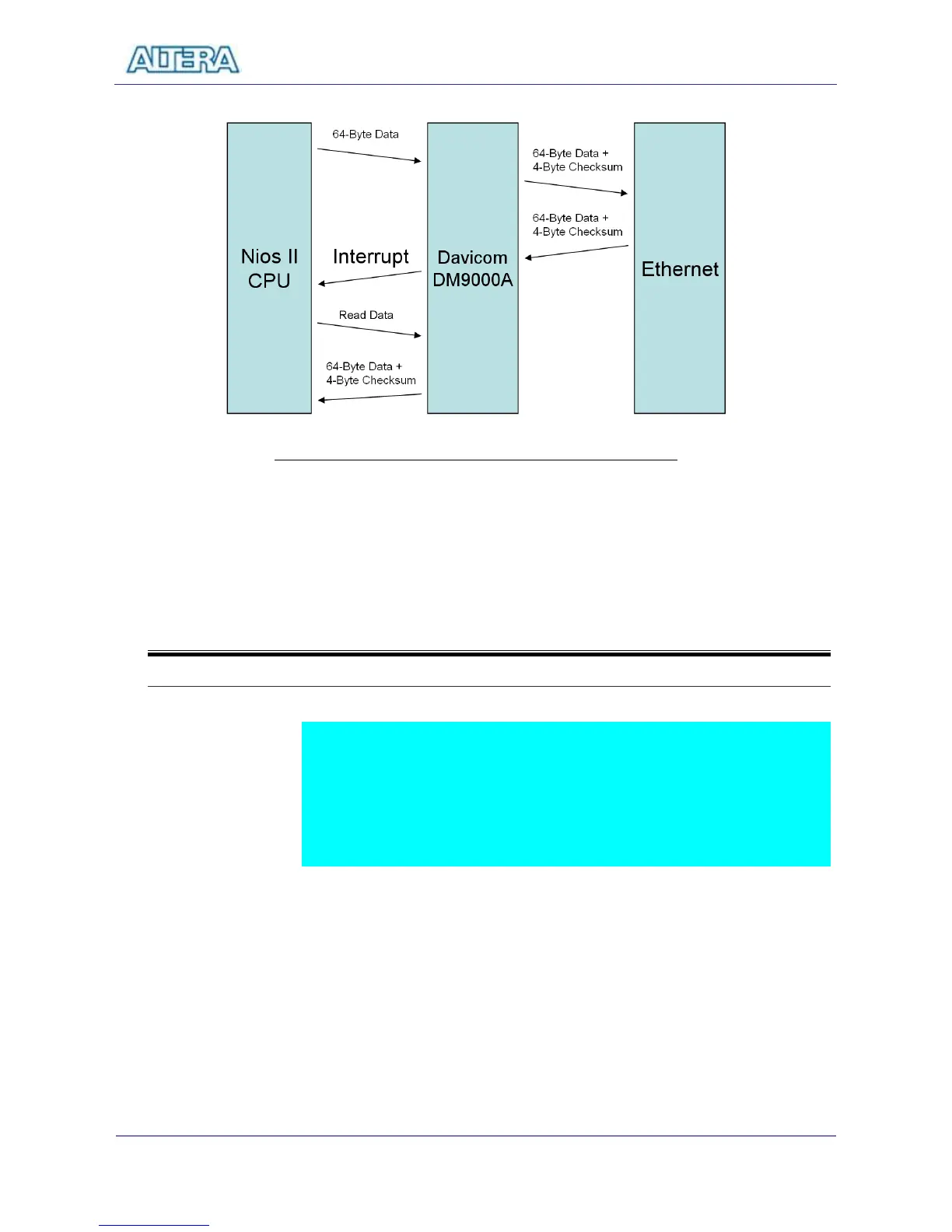
Figure 10.1 Packet Sending and Receiving using NIOS II CPU
10-2
Lab Setup and Instructions
Project Directory: C:\DE2\UP4_NET
Bitstream Used: UP4_API.sof or UP4_API.pof
NIOSII Workspace: C:\DE2\UP4_NET
Refer to Figure 10.2 and setup the lab according to the following steps:
Plug in a CAT5 loopback cable into the Ethernet connector of DE2.
Load the bitstream into FPGA
Run NIOSII IDE under the workspace C:\DE2\UP4_NET
Click on “Compile and Run” button
Now you can observed the content of the packets received (64-byte packets
sent, 68-byte packets received because of the extra checksum bytes).



 To Next Page