Convert NIOS executable file to .flash file
You should convert executable file to .flash file so that you can program it into QSPI flash with
BUP build, you should use the elf2flash utility to create the flash image:
1. Open NIOS command shell (v15.0.0/145 or later)
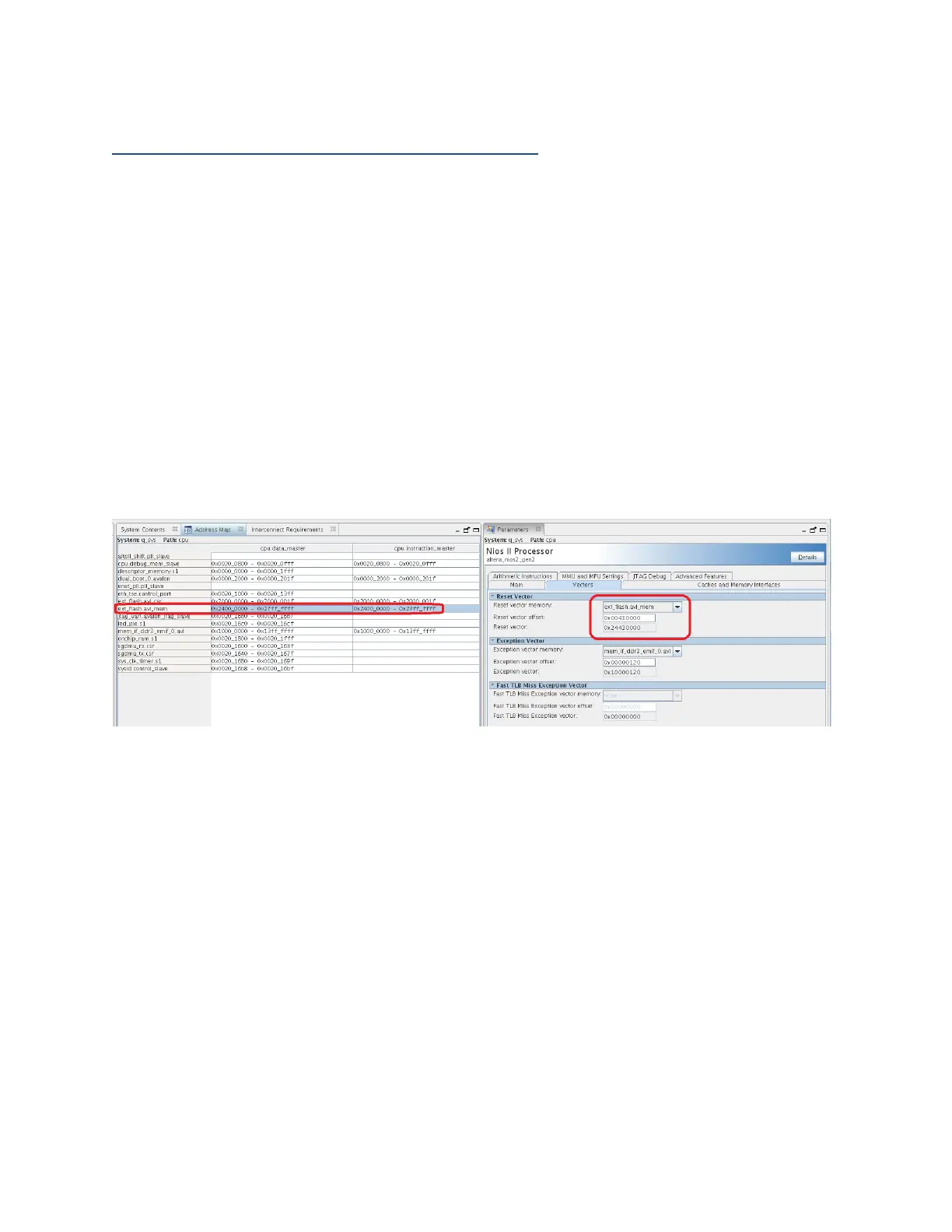
2. Type in the command “elf2flash --base=0x24000000 --end=0x27FFFFFF --
reset=0x24430000 --input=[ELF_FILE_LOCATION] --output=[FLASH_FILE] --
boot=$SOPC_KIT_NIOS2/components/altera_nios2/boot_loader_cfi.srec”
Note:
1) Base offset address and end offset address are the QSPI flash addresses assigned in the
BUP Qsys component
2) Reset offset address stand for Flash memory base address (0x2400_0000) + Reset Vector
Offset (0x0043_0000)
3) Reset Vector Offset address (0x4300_0000) is assigned to factory software block by
default, please refer the User Guide for more info about flash memory mapping
Figure 7: BUP Qsys component offset address info



 To Next Page