How to recompile the hardware build
Please follow the steps on the Design Store web page to extract and install the m10_rgmii
platform file. The following steps describe how to setup a project in Quartus II software in order
to configure the MAX10 FPGA device with the m10_rgmii (BUP) demo design.
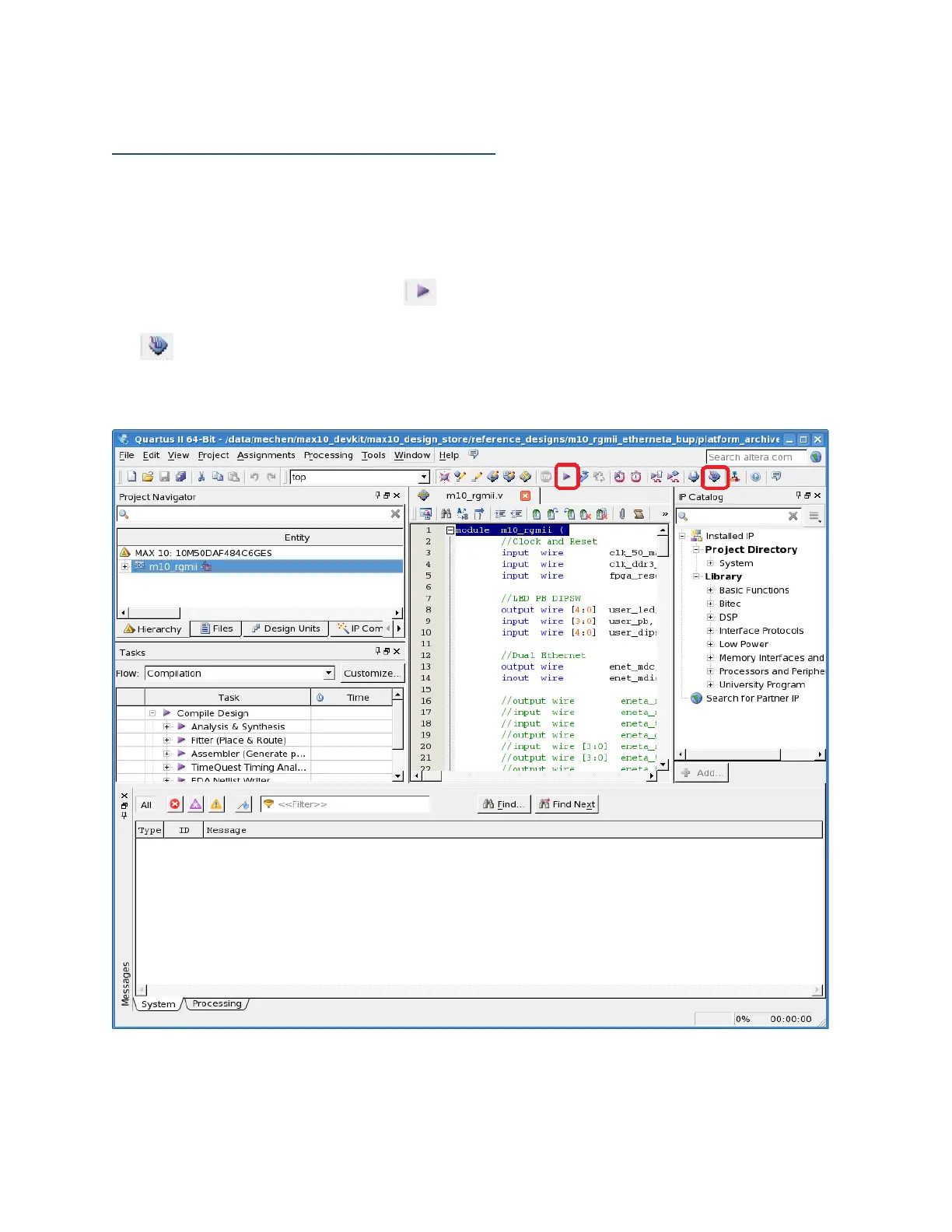
1. Launch Quartus II software and open the project top.qpf using File->Open Project
2. Compile the project by clicking the button
3. Launch the Quartus II programmer from the Tools menu or alternatively by clicking the
button
4. Download the .sof file output_files/top.sof and program the device using the programmer
as previously described
Figure 5: Link establishment and IP address acquirement



 To Next Page