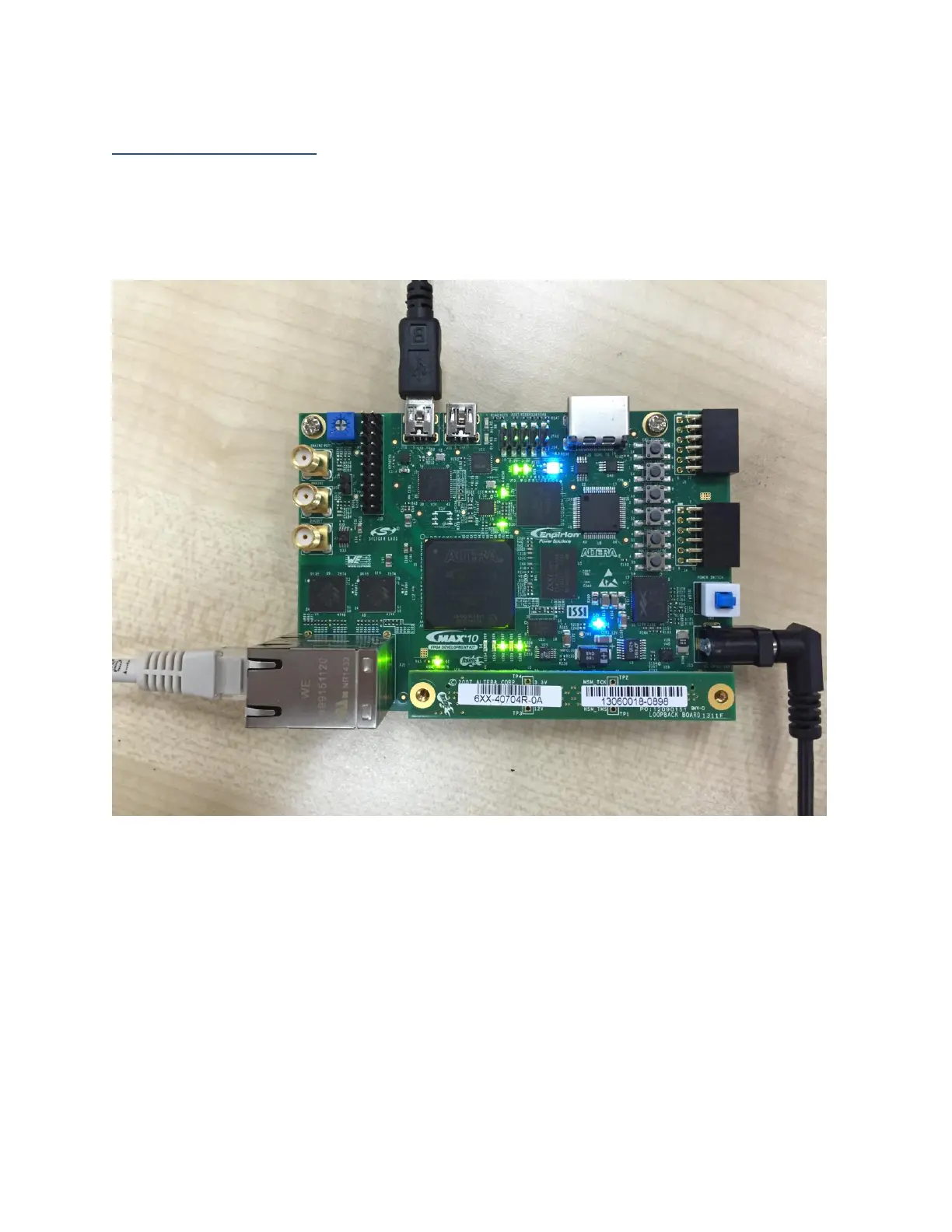
Simple Demo Setup
1. Connect the power cord to the power plug of the kit
2. Connect a mini USB from your PC/laptop to the J12 USB connector (labeled as USB 1 on
the silkscreen) on the top left of the kit
3. Connect Ethernet cable to Ethernet port A (the bottom one)
Figure 3: BUP test platform
4. Open NIOS command shell and change to project root directory
5. Type “nios2-configure-sof --cable 1 --device 1 master_image/m10_rgmii.sof;sleep
5;nios2-download -g –r software_examples/factory_image/web_server.elf;nios2-
terminal;”
6. Check whether it gets corresponding IP address as expected



 To Next Page