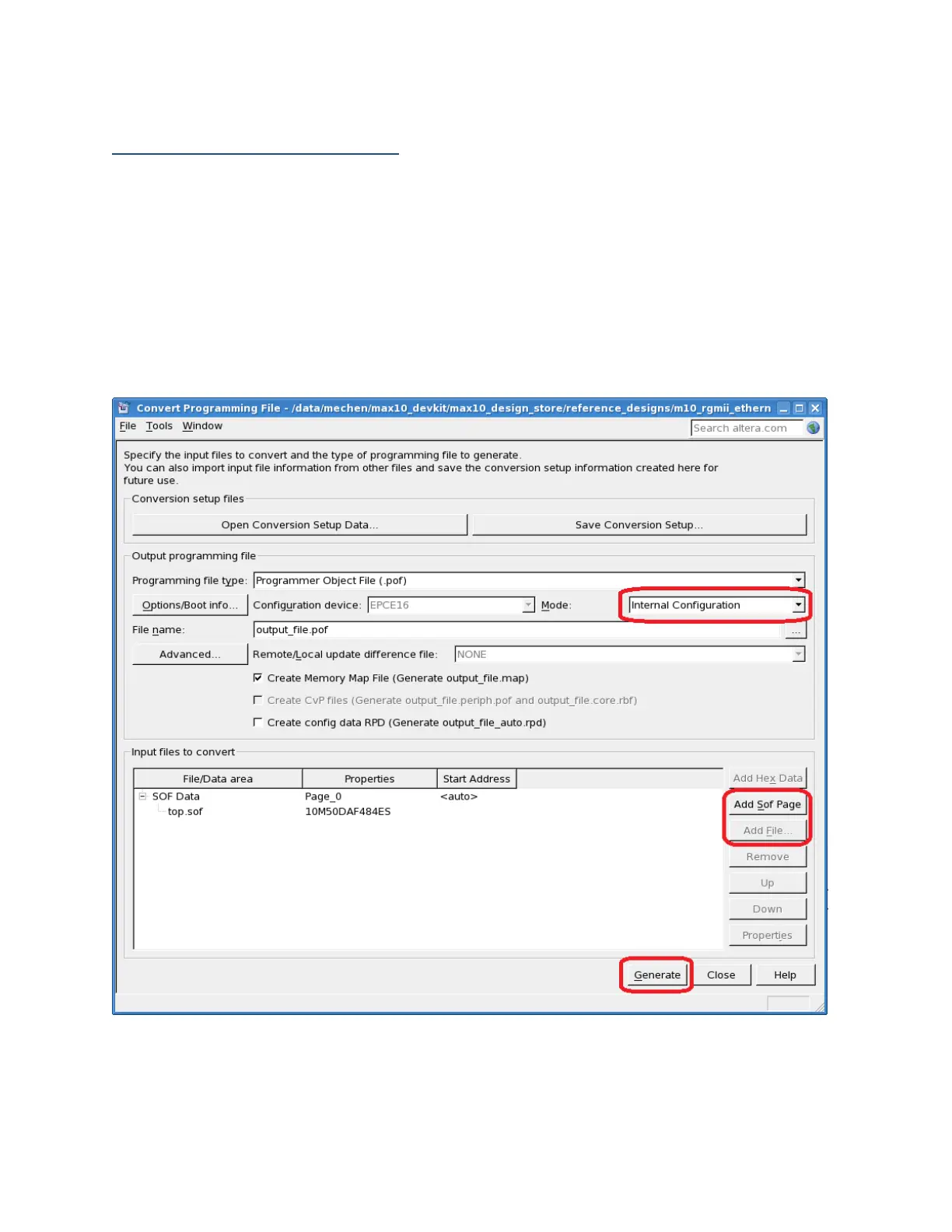
Convert SOF file to POF file
Please follow the steps on how to convert SOF file to POF file for MAX 10 FPGA internal
configuration solution. For dual configuration feature, please turn to the "Selecting the Internal
Configuration Scheme" section of the User Guide for more details.
1. Launch Quartus II software and open the Convert Programming File tool
2. Select Internal Configuration mode
3. Add Sof Page
4. Add file
5. Generate POF file for output_files/top.sof
Figure 6: Link establishment and IP address acquirement



 To Next Page