22
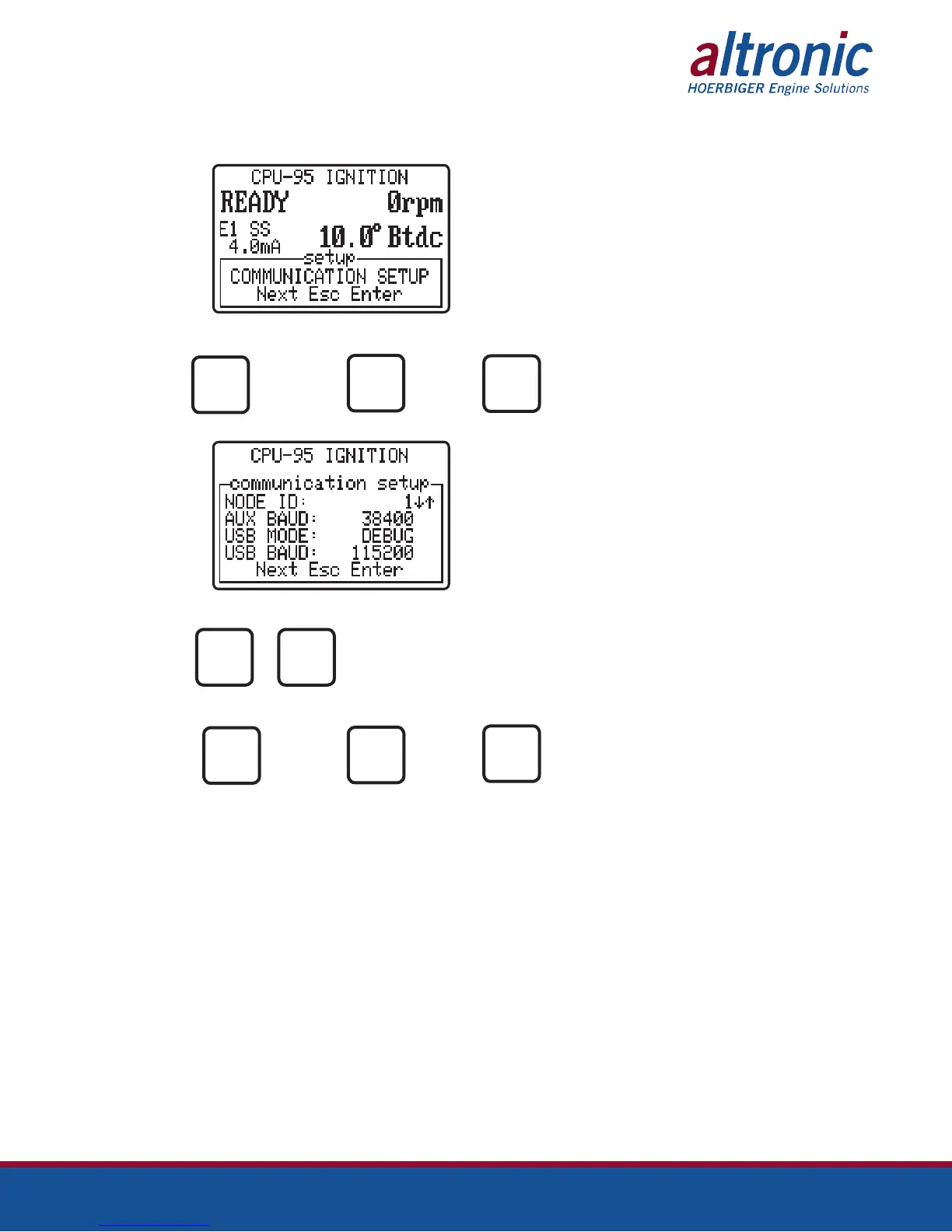
9.8 The communications menu allows the adjustment of various aspects of the
display module’s two user ports.
AT
PRESS TO PRESS TO PRESS TO
ACCESS GO TO THE EXIT
THE MENU NEXT MENU
ENTER
ESC
AT
PRESS TO
MODIFY
THE VALUE
PRESS TO PRESS TO PRESS TO
ADVANCE TO GO TO THE EXIT
THE NEXT NEXT MENU
SELECTION
ESC
Node ID can be set anywhere from 1 to 254. The auxiliary RS-485 (Modbus
RTU) port can have the following baud rates 9600, 19200, 38400, 57600,
115200. Always no parity, 8 data bits, and 1 stop bit (N81). The USB port has
the following modes: TERMINAL, MODBUS RTU, and DEBUG. The TERMINAL
mode allows the display to act as a go between for programming the CPU-95EVS
ignition directly. This will work for CPU-95EVS Terminal Program version 1.0
and above. Baud rate selection in the TERMINAL mode is unnecessary as the
terminal program accesses the USB port natively. The MODBUS RTU mode
follows the node ID, and the USB baud rate. This mode uses the virtual com
port driver that is a part of the USB driver on the CDROM. The USB port virtual
com port baud rate can be set to the following: 9600, 19200, 38400, 57600,
115200. The DEBUG mode is used by the factory for testing purposes.
NEXT
ENTER
NEXT


 To Next Page