23
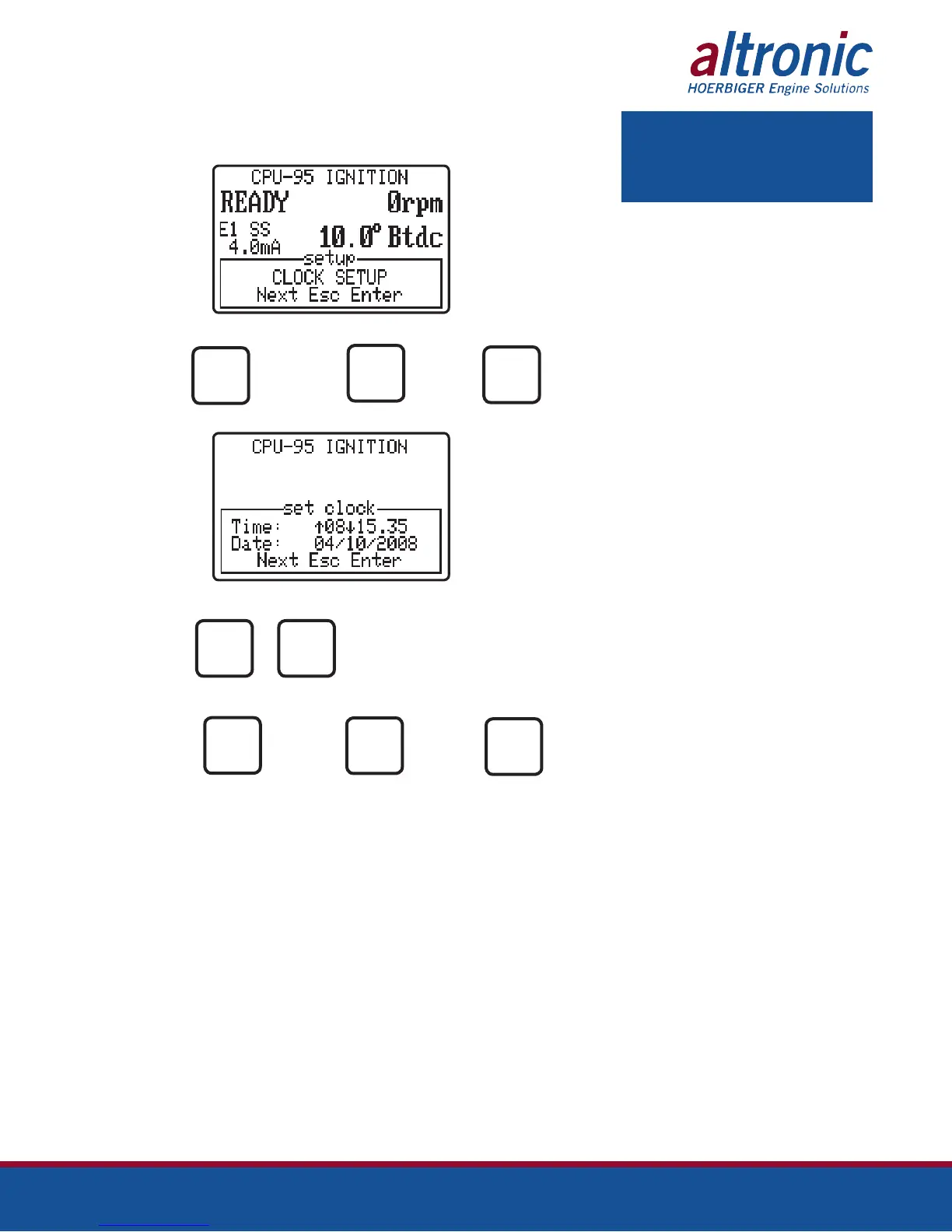
9.9 The CLOCK SETUP menu is used to set the desired calendar date and time used
by the datalog feature of the display module.
AT
PRESS TO PRESS TO PRESS TO
ACCESS GO TO THE EXIT
THE MENU NEXT MENU
ESC
AT
PRESS TO
MODIFY
THE VALUE
PRESS TO PRESS TO PRESS TO
ADVANCE TO GO TO THE EXIT
THE NEXT NEXT MENU
SELECTION
ENTER
NEXT
ENTER
NEXT
ESC
NOTE: The display module’s real time
clock does not automatically adjust for
daylight savings time.


 To Next Page