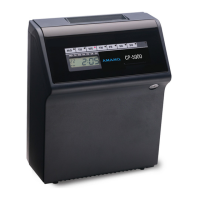
CP-3000 User’s Guide i
Table of Contents
Chapter 1: Introduction .................................................. 1-1
Specifications .......................................................................... 1-1
Names and Functions of Parts ................................................ 1-2
Features .................................................................................. 1-3
Front Panel Description ........................................................... 1-3
Chapter 2: Getting Started ............................................. 2-1
Top Cover ............................................................................... 2-1
Front Cover ............................................................................. 2-2
Placement/Location ................................................................. 2-3
Desktop Installation ................................................................. 2-3
Wall Mounting ......................................................................... 2-4
External Signal Connections ................................................... 2-5
Connecting the Battery ............................................................ 2-7
Initialization and Reset ............................................................ 2-9
Initialization .............................................................................. 2-9
Reset (All Clear) .................................................................... 2-10
Power Connection ................................................................. 2-10
Chapter 3: Time Cards .................................................... 3-1
Making a Test Print ................................................................. 3-1
Card Dimensions ..................................................................... 3-2
Card Color ............................................................................... 3-3
Time Card Settings ................................................................. 3-3
Card Thickness Adjustment .................................................... 3-5
Card Width Adjustment ........................................................... 3-6
Chapter 4: Programming ................................................ 4-1
Introduction ............................................................................. 4-1
General Programming Guidelines ........................................... 4-1
Entering Program Mode ........................................................... 4-1
Entering and Saving Values .................................................... 4-2
Scrolling Through the Program Mode ...................................... 4-2
Exiting Program Mode ............................................................. 4-2
Programming Guides ............................................................... 4-3
Basic Programming ................................................................. 4-7
Year, Month, and Date ............................................................. 4-7
Hours and Minutes ................................................................... 4-8


 To Next Page