CP-3000 User’s Guide 4-15
Step 13. When the desired value appears, press
the YES key. The display will
automatically move to the Additional
Date Imprint menu item.
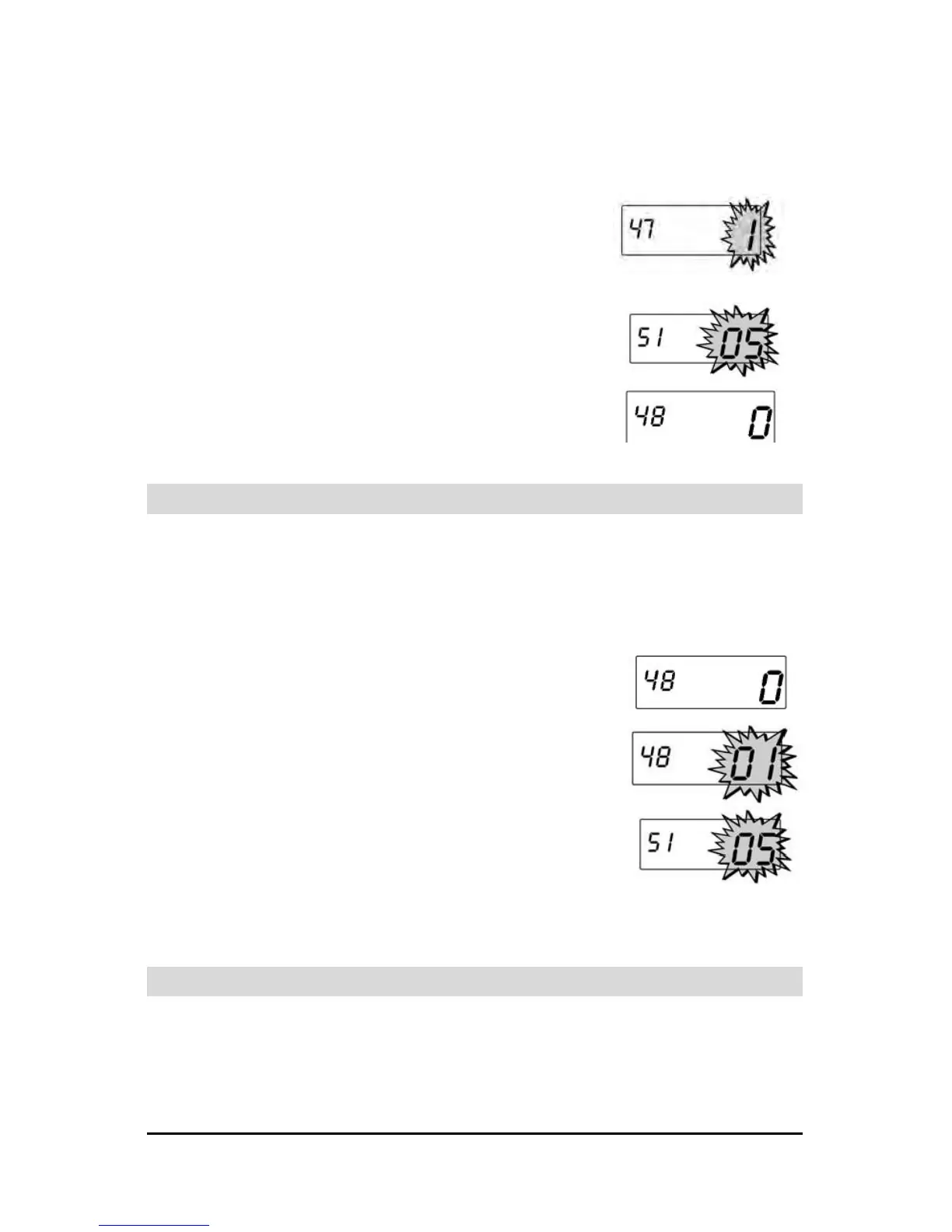
Step 14. Press the NO key to select a value of
“0” to disable this feature or “1” to
include an additional date of the month
(00 to 31) in the imprint.
Step 15. When the desired value appears, press
the YES key. When saved, the next
menu item, Signal Duration (Model
A051) or Index No. Imprint (Model
A056) will appear in the display.
Index No. Imprint (Model A056 only)
This menu item is used to identify individual time clocks on time
cards using an Index No. Imprint numbered 00 thru 99.
Note: The Day Imprint must have a value of “9” for the Index No.
Imprint to appear on the time card.
Step 1. Enter the Program Mode and press the
FUNCTION key until the Index No.
Imprint menu item appears in the
display.
Step 2. Press the NO key to select a value of 00
thru 99 that will be used to identify this
time clock on a time card.
Step 3. When the desired value appears, press
the YES key. The display will
automatically move to the Signal
Duration menu item.
Signal Duration
This group of menu items is used to set the duration (in seconds) that the
relay contacts of the installed signal device (Models A051 and A056
only) will be closed or the built-in buzzer will sound, and verify that the
Master Clock function is disabled.


 To Next Page