4-14
CP-3000 User’s Guide
Step 7. When the desired value appears, press
the YES key. The display will
automatically move to the Day Imprint
menu item.
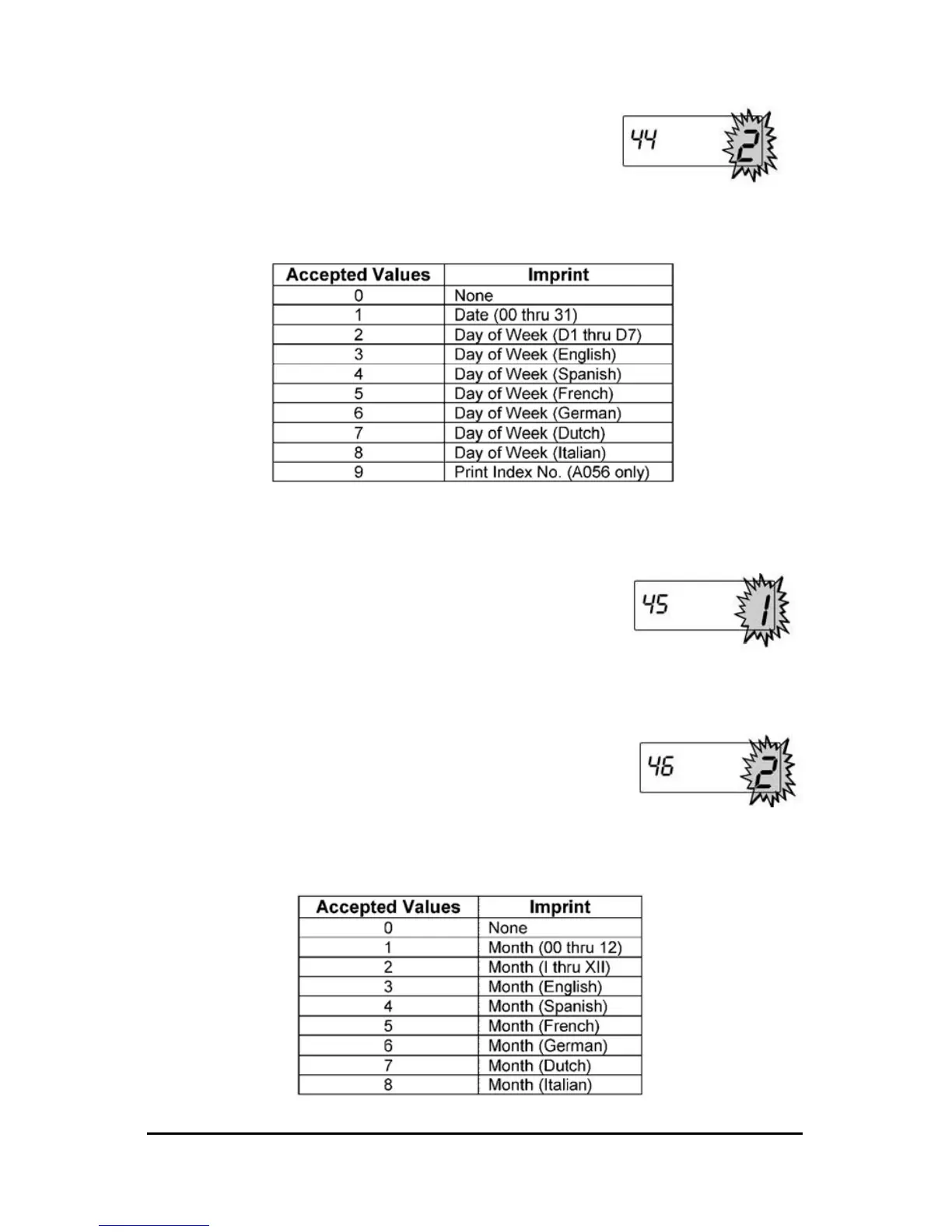
Step 8. Using the NO key, select one of the
following:
Note: For Model A056 only: The Day Imprint must have a value of “9”
for the Index No. Imprint to appear on the time card.
Step 9. When the desired value appears, press
the YES key. The display will
automatically move to the Year Imprint
menu item.
Step 10. Press the NO key to select a value of “0”
for no year imprint (OFF) or “1” to include
the year in the imprint (ON).
Step 11. When the desired value appears, press
theYES key. The display will
automatically move to the Month Imprint
menu item.
Step 12. Using the NO key, select one of the following:


 To Next Page