4-10
CP-3000 User’s Guide
Automatic Adjustment
To program for DST, you must specify the day that the DST period will
begin or end, by date or week number. If a date is specified, the time
change will occur at 2:00 am on the begin and end dates. If a week is
specified, the time change will occur at 2:00 am on the Sunday of the
programmed week. You must set the DST Begin Date (increment by
one hour) and End Date (decrement by one hour) once each year. If no
DST Begin Date is specified, the automatic DST adjustment will be
disabled.
Note: To set the DST Begin Date and End Date you must cycle
through the sequence of displays of each item and save the
data entered. The data entered will not be saved if you exit the
Program Mode or press the FUNCTION key before saving.
By Week Number
Step 1. If you have not already done so, enter
theProgram Mode and press the
FUNCTION key until the Day Change
Time menu item appears in the display.
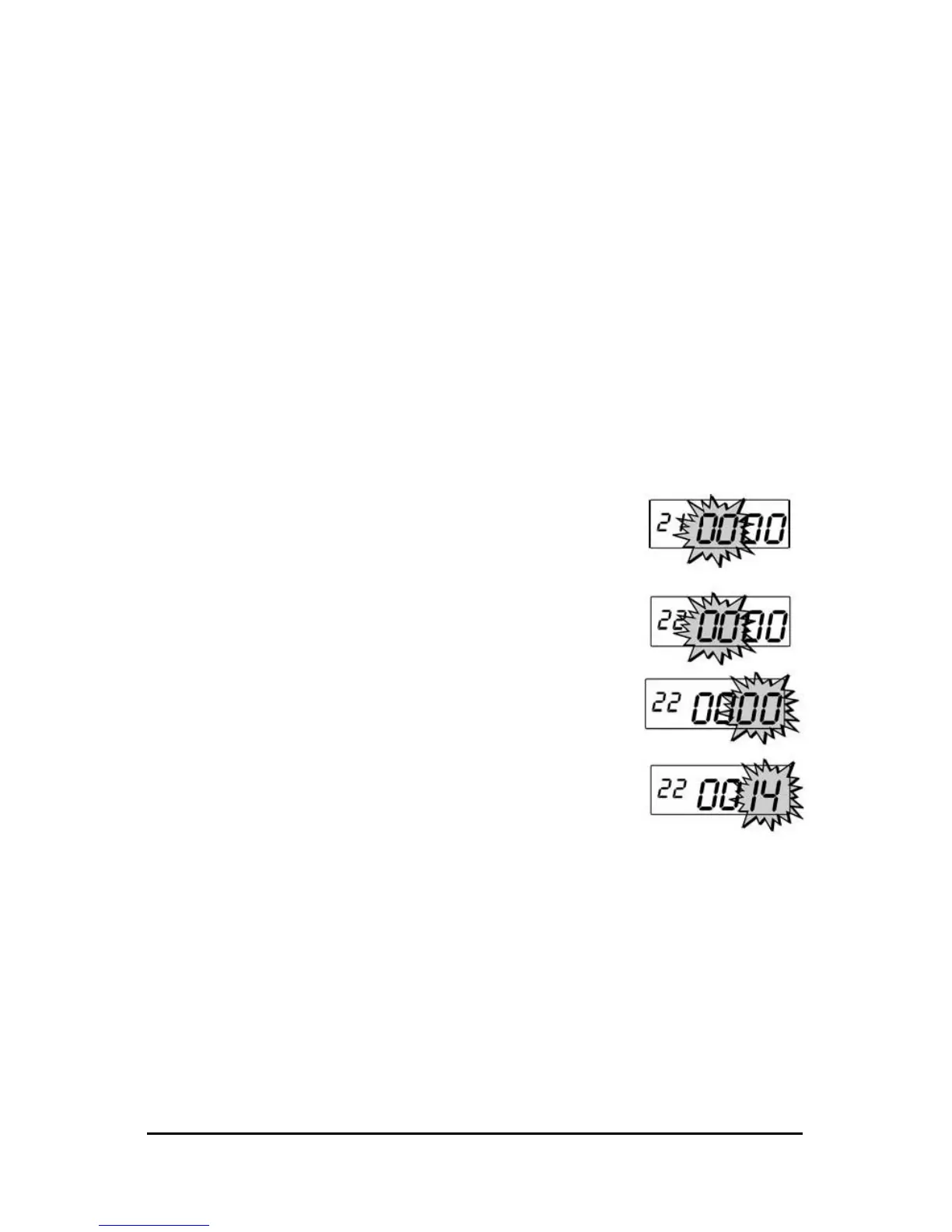
Step 2. Press the YES key three times until the
DST Begin Date menu item appears with
the first pair of digits (month) flashing in
the display. Verify that these digits are
“00” and press the YES key. The second
pair of digits (week number) will flash in
the display.
Step 3. Press the NO key until the correct week
number of the year (01 thru 52) appears
in the display. Holding down the NO key
formore than three seconds will increment
thenumber in the display by ten.


 To Next Page