Drivers Installation
Page 6-5
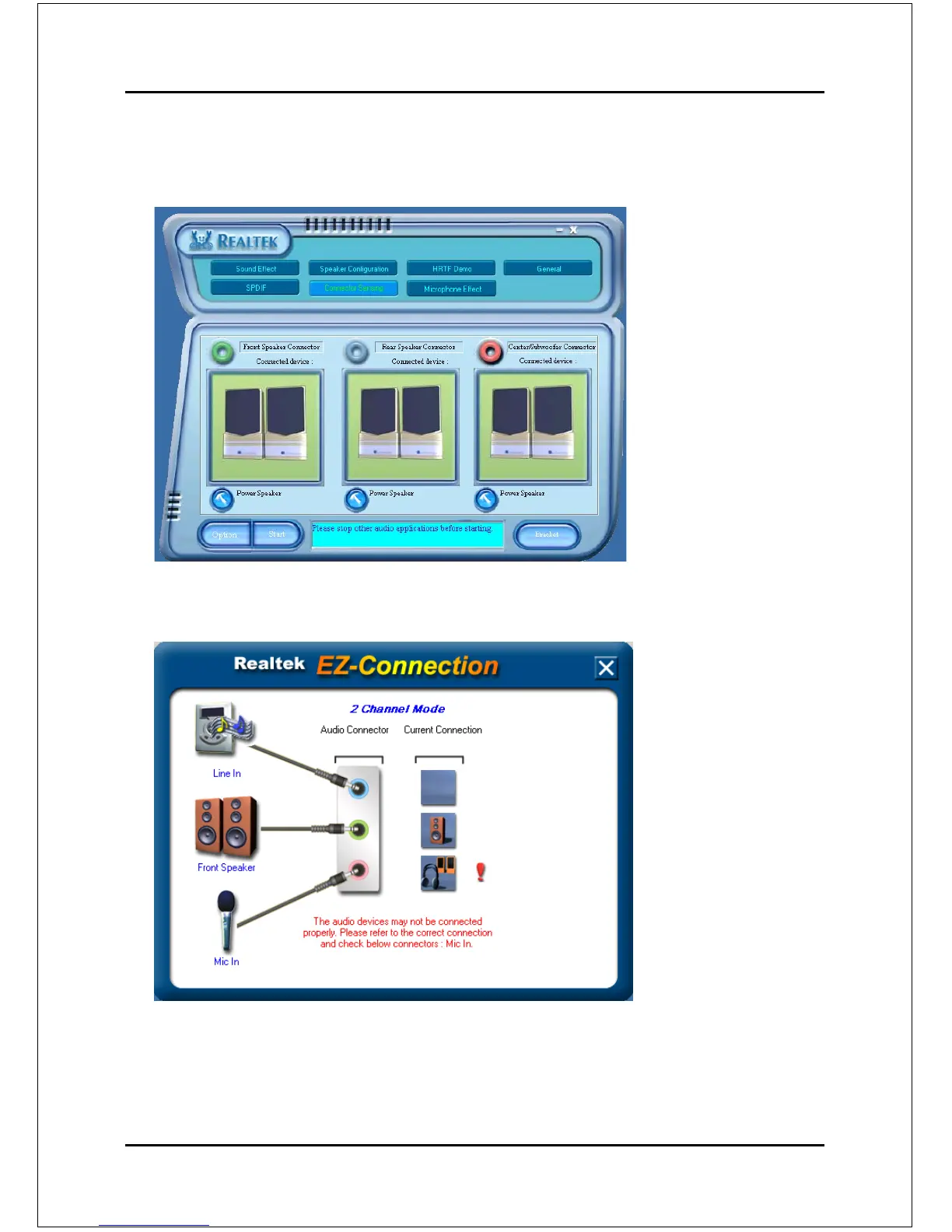
This board is equipped with Jack Sensing capability. If an audio device is plugged
into the wrong connector, a warning message will appear to remind users to check
the connection.
<Figure 7>
Connector
Sensing:
8. EZ-Connection shows the result of the detection.
“Audio Connector” column reflects the settings used in the "Speaker
Configuration" page.
“Current Connection” column shows the type of device detected. If the
results do not match, an exclamation mark will appear on the right side.
7. Push "Start" button to start the sensing. Please remember to terminate all
audio applications before starting the sensing.
<Figure 8>
Connector
Sensing:



 To Next Page