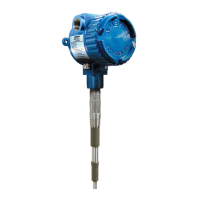
ThePoint Series
16
2.10.3 Using ThePoint with Manual Calibration modes #7, and 8
Warning!
Before removing the explosion-proof housing cover in a
potentially hazardous area, make certain that the area is safe.
When calibration is complete, the cover must be replaced.
Make sure that ThePoint is set to either mode #7 (standard
Sensitivity) or mode #8 (high sensitivity).
See section 2.10.4 for mode selection procedure.
Locate the manual calibration pot on the top of ThePoint
electronic unit (see gure 2-6).
The adjustment pot located on the top of the unit controls the
point at which the relay operates. A red LED indicates that
the relay is de-energized.
Full range of the pot is 25 turns. Each rotation of the pot changes
the operating point by 4pF (Mode #7 standard Sensitivity) or
1pF (mode #8 high sensitivity).
Turning adjustment clockwise will raise level at which relay
operates. Turning the adjustment counterclockwise will lower
the level at which the relay operates.
Calibration Procedures
For water-based conducting applications using bare metal
sensing elements, turn the adjustment point full clockwise. No
other adjustment is required.


 To Next Page
 Loading...