amgmicro.com 9
EVOS™ User Guide
OPERATION
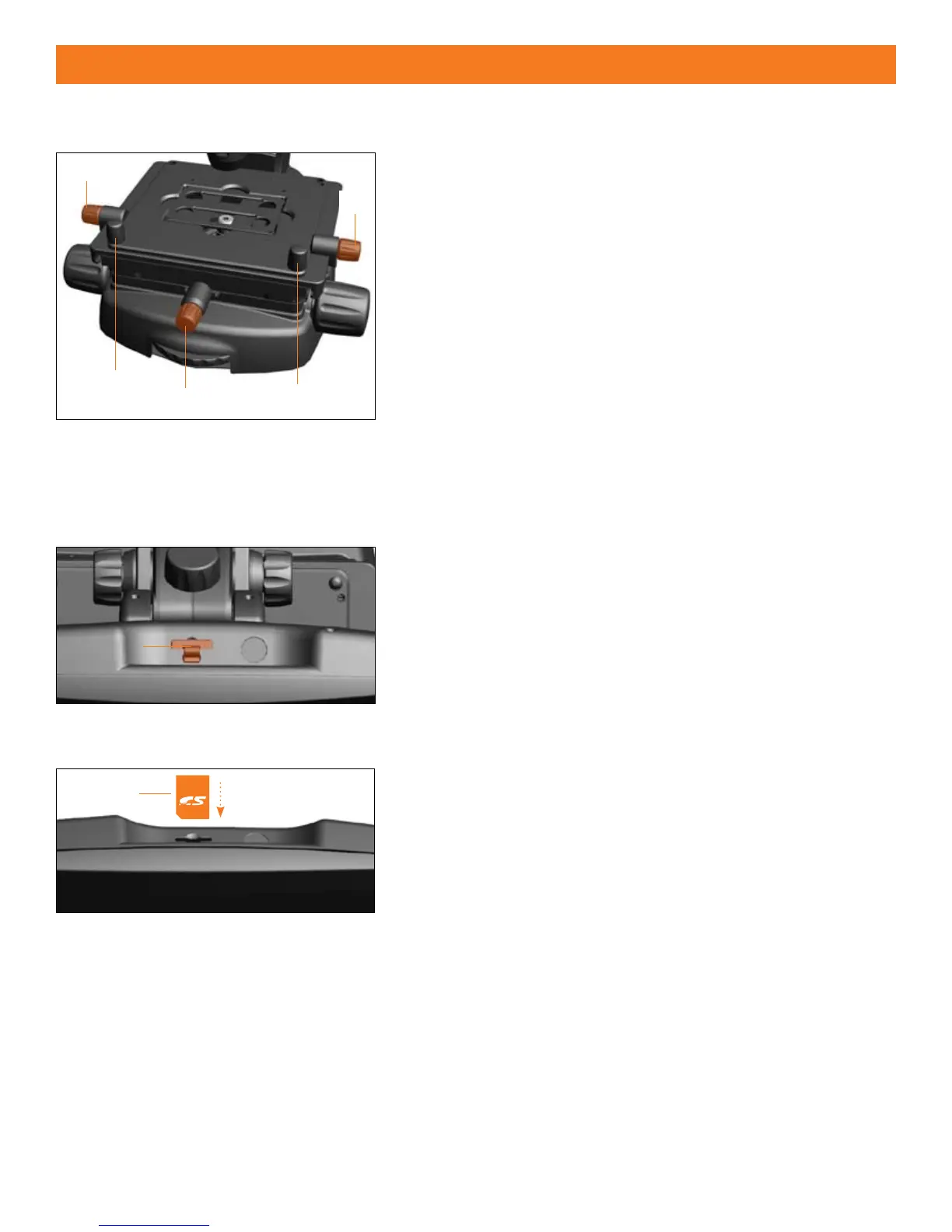
MECHANICAL STAGE OPERATION (Figure 1)
The free-motion “glide” stage operates and moves in all directions —
horizontally, vertically and diagonally.
Maneuver the stage freely throughout its x-y range of motion using
1.
the 2 coarse-positioning knobs
.
Turn either of the 2
2. y-axis ne-positioning controls
toward the
front to move the stage forward and toward the back to move the
stage backward.
Turn the
3. x-axis ne-positioning control
counter-clockwise to
move the stage to the left and clockwise to move the stage to the
right.
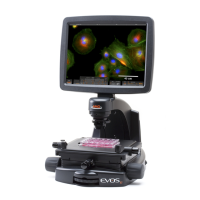
SECURE DIGITAL SD™ CARD (Figures 2 & 3)
The SD memory card slot is located on the top of the LCD display.
Note: Before using the SD card, format the disk/card by following the
manufacturer’s format disk procedures.
Gently pull out the
1. protective rubber cover
from the LCD frame.
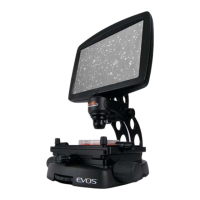
Insert the
2. SD card
with the angled corner facing bottom left-hand
side (see Figure 3) into the slot until it clicks and the card locks into
position.
Remove the card by pressing it down to release it from the slot.
3.
Note: Do not remove SD card until “STORING: EVOS____.DNG” clears
from the LCD screen
Figure 1
Figure 2
Card
Figure 3


 To Next Page