14
EVOS™ User Guide
MAINTENANCE
FIRMWARE UPDATE
TO UPDATE FIRMWARE:
Download the latest EVOS rmware onto an SD™ card from the AMG 1.
web site.
Turn power OFF.
2.
Insert the SD card into the card slot.3.
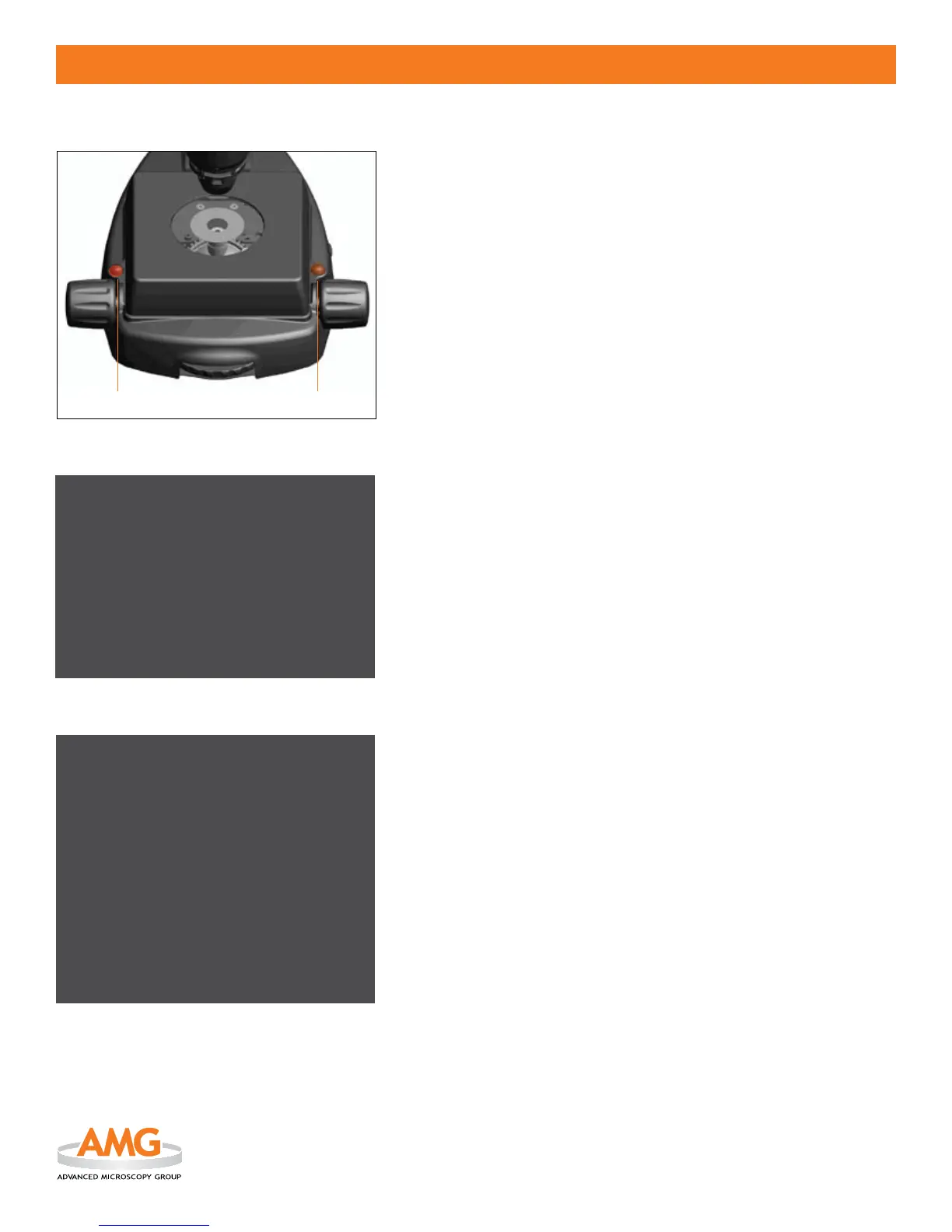
PRESS AND HOLD 4. the Firmware Update Button (LEFT)
while
turning the power ON (see Figure 1).
When the microscope powers on, release the
5. Firmware Update
Button. You will see the rmware version that is on the SD card in the
4th line of the 2nd paragraph (see Figure 2).
Firmware Rev on SD Card: X.XX
Note: If the existing rmware version is the same as the version on the
SD™ card, it is not necessary to update the rmware.
Push the 6. Image Capture Button (RIGHT)
(see Figure 1) to start the
update.
The screen will display the update progress 7. (see Figure 3).
Note: DO NOT POWER OFF while the rmware is being updated. The
update will take approximately 3 minutes to complete.
TO VERIFY FIRMWARE VERSION:
Turn power OFF.1.
PRESS AND HOLD 2. the Firmware Update Button (LEFT)
while
turning the power ON (see Figure 1).
When the microscope powers on, release the
3. Firmware Update
Button. The screen will display the EVOS model number, hardware
version, and rmware version (see Figure 2).
EVOS Firmware Updater Version 1.01
EVOS Model: AME-I
Hardware Rev: 1.00
Firmware Rev: 1.01
Waiting for SD Card Insertion
Found Card -> Loading rmware
Loaded rmware.bin le
Firmware Rev on SD Card: 1.01
Push Right Button to Start Update
Figure 2
Push Right Button to Start Update
Updating Unit -> DO NOT POWER OFF <-
Chip Erase Starting
Chip Erase Complete - verifying
Erase veried
FPGA Conguration Data being written to ash
Updater Firmware being written to ash
Diag Routine being written to ash
Fonts Bitmap being written to ash
Application Firmware being written to ash
Verifying Firmware
Firmware Veried
Reset Power to complete rmware upgrade
Figure 3
Figure 1


 To Next Page