amgmicro.com 7
EVOS™ User Guide
OPERATION
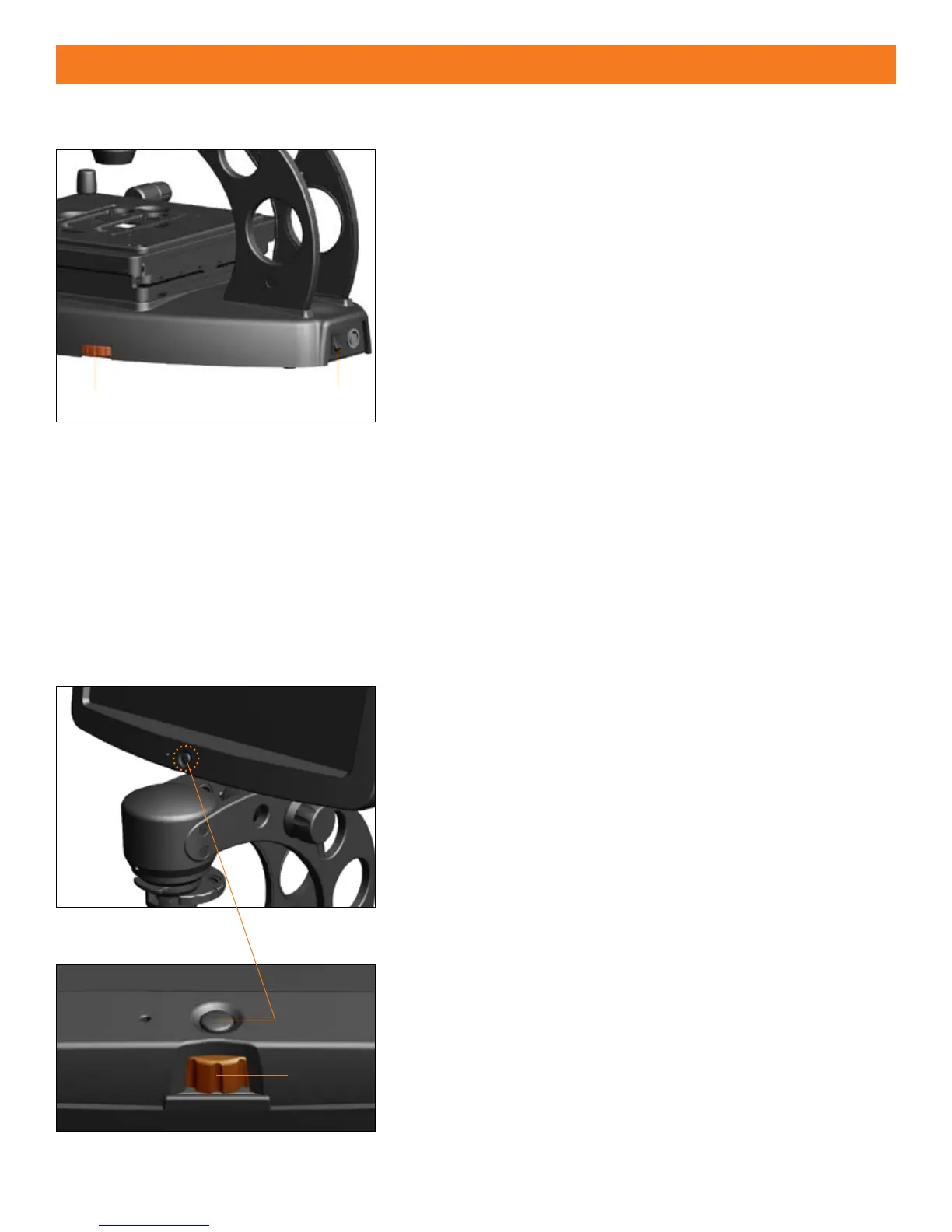
DIMMER ILLUMINATION CONTROL (Figure 1)
Turn the 1. power switch
to the “|” (ON) position.
Rotate the
2. dimmer control
located on the bottom right-hand side
of the microscope base to adjust brightness/intensity.
Illumination Pre-congured for Each Objective
The illumination/brightness levels on EVOS microscopes are precongured
for each individual objective for optimal performance. The microscope is
set to recognize each objective automatically as the objective select wheel
rotates.
Learning Function
EVOS microscopes are equipped with a memory function that remembers
the last automatic or manual illumination setting that was used for each
individual objective, EVEN AFTER BEING POWERED OFF. As the objectives are
switched, illumination values return to the last set levels for each objective.
Figure 1
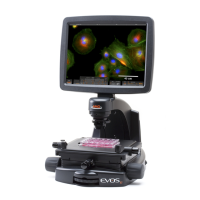
LCD SETTINGS CONTROL
(Figures 2 & 3)
The LCD settings button
gives the user direct control for the following
LCD display settings:
BACKLIGHT
X
CONTRAST X
SATURATION X
Press the 1. LCD settings button
to initiate settings control mode.
Turn the
2. LCD control
to adjust the setting (8 levels available) to
desired view.
When nished, wait approximately 4 seconds for the settings panel to 3.
close.
Figure 2
Figure 3


 To Next Page