8
EVOS™ User Guide
OPERATION
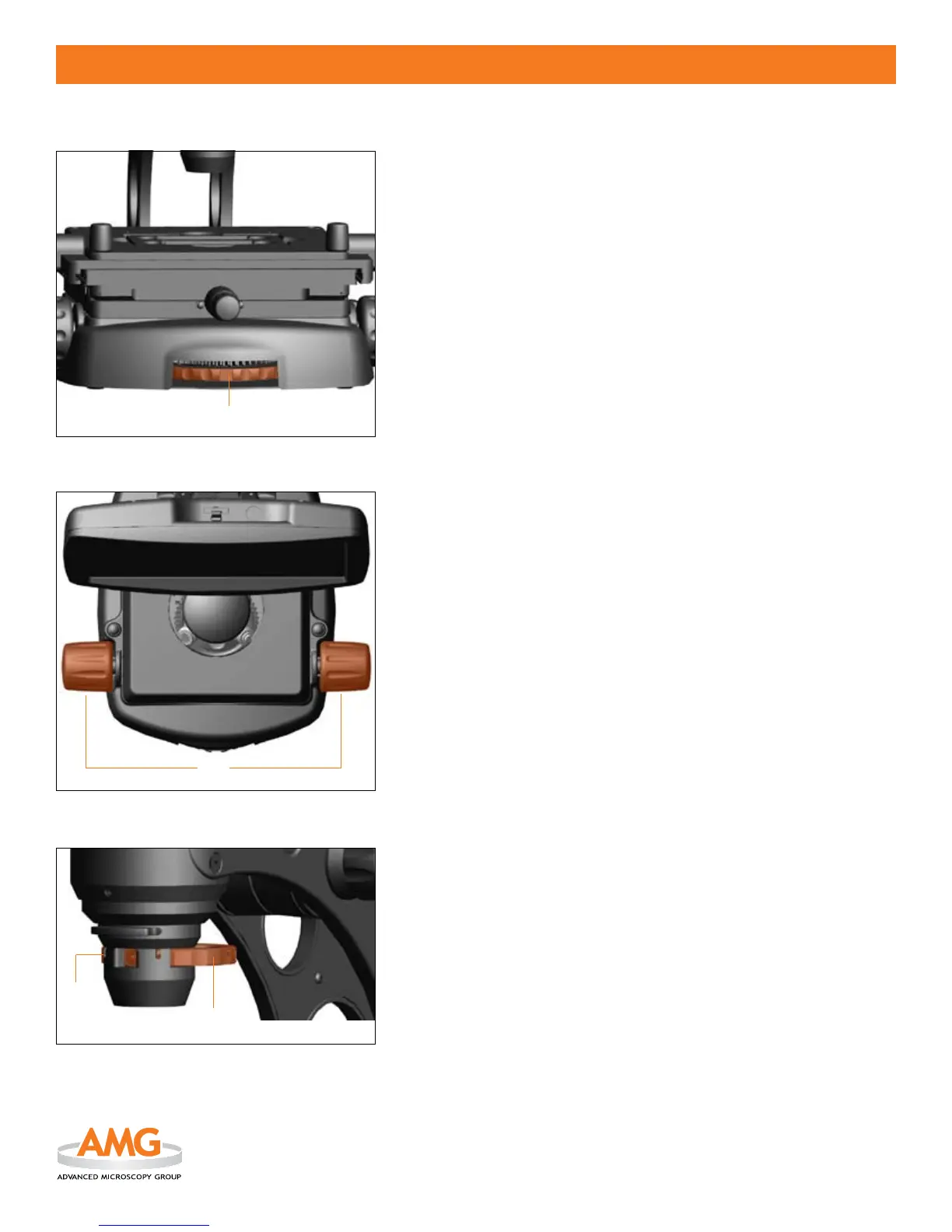
OBJECTIVE SELECT WHEEL (Figure 1)
Rotate the 1. objective select wheel
located at the bottom center of
the microscope base until a desired objective is in position (see label).
The microscope will automatically recognize each individual 2.
objective and use the pre-congured illumination settings for optimal
performance.
Rotate the 3. phase annuli select wheel
to the position that
corresponds with the respective objective.
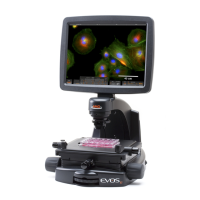
FOCUS CONTROL (Figure 2)
Focus control 1.
knobs are located on both sides of the microscope.
Backward rotation will move the objective away from the specimen
and forward rotation will move it toward the specimen.
Rotate as necessary to adjust focus of the specimen on screen.
2.
Note: Every EVOS microscope has a safety feature that incorporates a
“slip-clutch” mechanism to protect the objectives. When the objective
turret reaches the end of its travel range, the clutch makes a “clicking”
sound as the focus control continues to turn. The objective does not
move past the acceptable range.
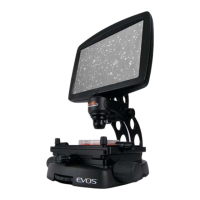
PHASE ANNULI SELECT WHEEL (Figure 3)
Phase rings are pre-installed and pre-aligned on the phase annuli select
wheel
for optimal performance. Realignment or re-centering is not
required. For all service needs, refer to the Customer Service section.
EVOS microscopes have 3 positions for phase contrast:
STANDARD OPTICS OLYMPUS OPTICS
brighteld (BF) brighteld (BF)
X
10/20x phase 4x phase X
40x phase 10x/20x/40x phase X
Note: View through the small window
in the front of the phase condenser
assembly to set the phase annuli to its respective objective. The phase setting
must correspond to the objective for proper operation.
Figure 1
Figure 2
Figure 3


 To Next Page