2
EVOS™ User Guide
GENERAL INFORMATION
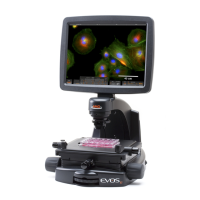
SPECIAL PRECAUTIONS (Figure 2)
When cleaning optical elements, use only materials that are specically made
for that purpose. Further, we recommend soft, low-lint, cloth materials. To
avoid scratching the soft lens coatings, do not use paper-based materials.
Always carry the microscope with one hand supporting the
• base
and the other hand on the neck
, using correct lifting techniques.
Do not exchange objectives between microscopes unless you know that
•
the components have all been approved and recommended by AMG.
If liquid spills on the microscope, turn o the power immediately and
•
wipe dry.
Never disassemble or service the microscope yourself. Unauthorized
•
repairs may damage the microscope or alter its functionality, and they
will void your warranty.
After using, cover the microscope with a dust cover.
•
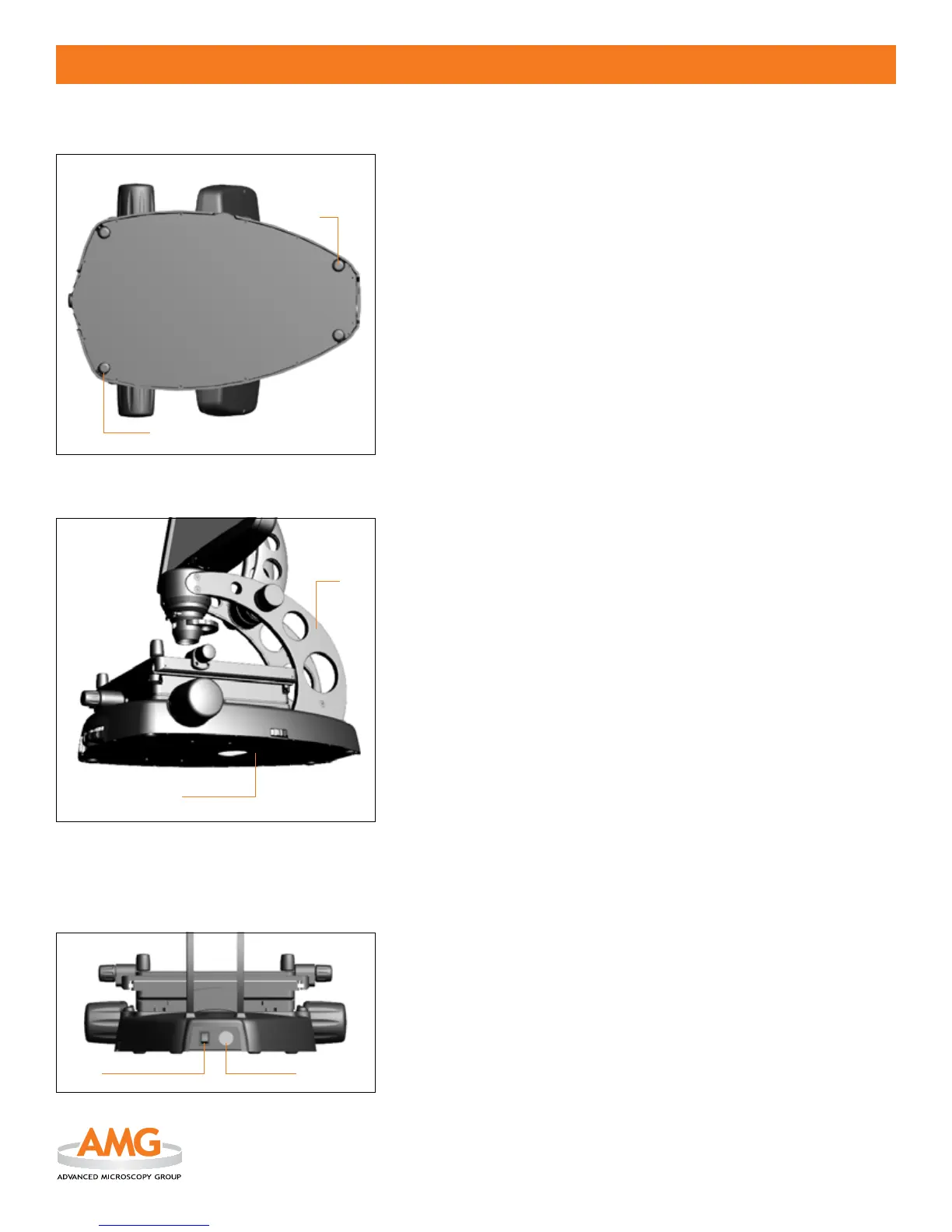
ENVIRONMENTAL CONCERNS (Figure 1)
Place the microscope on a level surface away from vibrations of other •
pieces of equipment. To protect your microscope from environmental
vibrations, we oer a tabletop Anti-Vibration Platform (part # AMEP-
VIP1) custom designed for EVOS.
Note: Use the 4 adjustable rubber feet
on the bottom of the base to
adjust the microscope for uneven surfaces.
Ambient room lighting and sunlight from nearby windows can enter
•
the imaging path and aect the image.
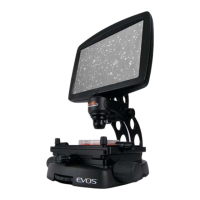
ELECTRICAL INFORMATION (Figure 3)
The • power switch
is located on the back of the microscope.
The detachable
• power cord output connection
is located next to the
power switch.
Figure 2
Figure 1
Figure 3


 To Next Page