CALIBRATION WITH AIR
1. Turn the 3-WAY SELECTOR VALVE to the OFF position.
2. Unscrew and remove CELL CAP by turning it counterclockwise to expose the oxygen sensor
to air for ~30 seconds while blowing and fanning air with your hand near the sensor.
3. Follow this procedure to adjust the Span Factor:
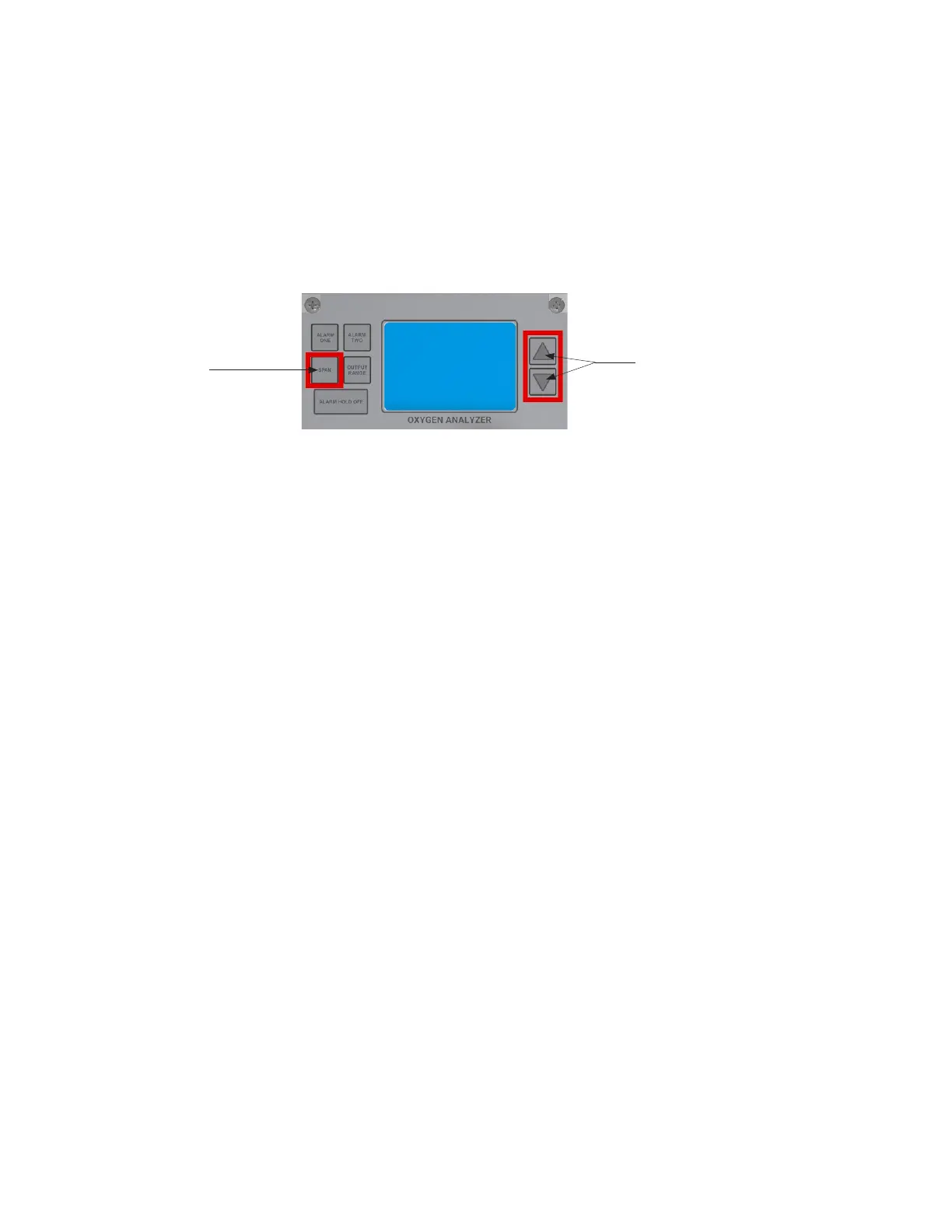
Press the SPAN Button and release. The word SPAN will appear on the LCD for 1 second and
then display the oxygen reading, while the % FLAG blinks. Quickly press the appropriate
UP/DOWN ARROW to adjust the LCD reading to 20.9%.
Once completed, wait for a few seconds. The % FLAG will stop blinking, and the Analyzer will
accept the new calibration.
5. Replace and tighten the CELL BLOCK CAP by turning it clockwise until 'hand tight'.
6. Turn the 3-WAY SELECTOR VALVE back to the SAMPLE position.
Note: Once the procedure is completed, flow Sample Gas through the Analyzer, and it will quickly
return to normal pipeline oxygen levels.
Span
Button
Up and Down
Arrow Buttons
24



 To Next Page