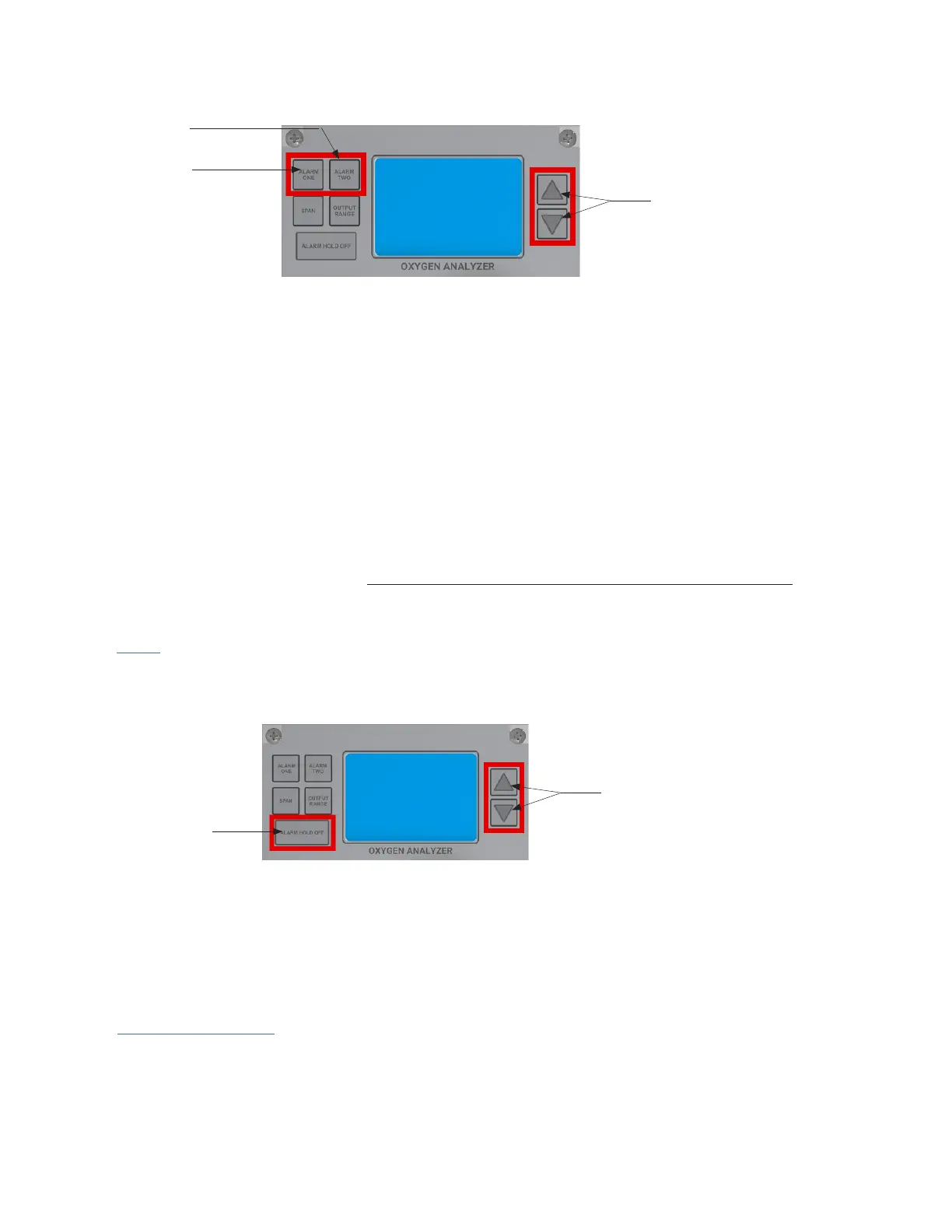
Setting the Alarm Hold Off
Press the ALARM HOLD OFF button, and the Alarm Hold Number will appear in minutes. Within 3-4
seconds, push either the UP or DOWN ARROW BUTTON to adjust the duration of your ALARM HOLD
OFF. The ALARM HOLD OFF can be engaged from 0 to 120 minutes. The HOLD OFF feature holds-off
both ALARMS and ANALOG OUTPUT.
After the time for setting the ALARM HOLD OFF expires, both Alarms and the Analog Output will revert
to measurement mode.
Up and Down
Arrow Buttons
Alarm Hold off
ADDITIONAL NOTES:
If you need more time for the setup, simply push the ALARM HOLD OFF Button again, and it will
automatically reset to the original Hold Off Time.
If you are completing a Calibration before the 'Hold Off' Set Time elapses and want the Alarms and
Analog Output to become functional immediately, you can simply run the Hold Off Time to zero by
pushing the Hold Off Button until the LCD blinks and then pushing the DOWN ARROW BUTTON until the
LCD shows zero.
NOTE:
The ALARM HOLD OFF allows you to bypass the Alarm Relay Function for a predetermined amount of
time. The feature is helpful to use during monthly or quarterly gas calibrations so as not to set off alarm
components driven by the Relay contacts.
Setting the Alarms on the MODEL 210BX
THE MODEL 210BX comes standard with two fully, adjustable independent alarms (ALARM ONE and
ALARM TWO).
To set ALARM ONE, press the ALARM ONE Button and quickly release. The LCD alarm flag will blink,
and within 3 seconds, press either the UP or DOWN ARROW BUTTON to adjust your alarm setpoint.
Once pressed, just hold the button until you reach your desired alarm setpoint. The longer you hold, the
faster the alarm setpoint adjusts. If no buttons are pressed within 3 seconds, the Analyzer will revert to
measurement mode.
If you make a mistake at any time, simply let go of the button for 3-4 seconds, and the LCD will return to
measurement mode. Then try again.
Note: Your alarm setpoint will be fully adjustable within your selected output range.
To set ALARM TWO, repeat the same steps as used in ALARM ONE.
Alarm Two
Alarm One
Up and Down
Arrow Buttons
28



 To Next Page