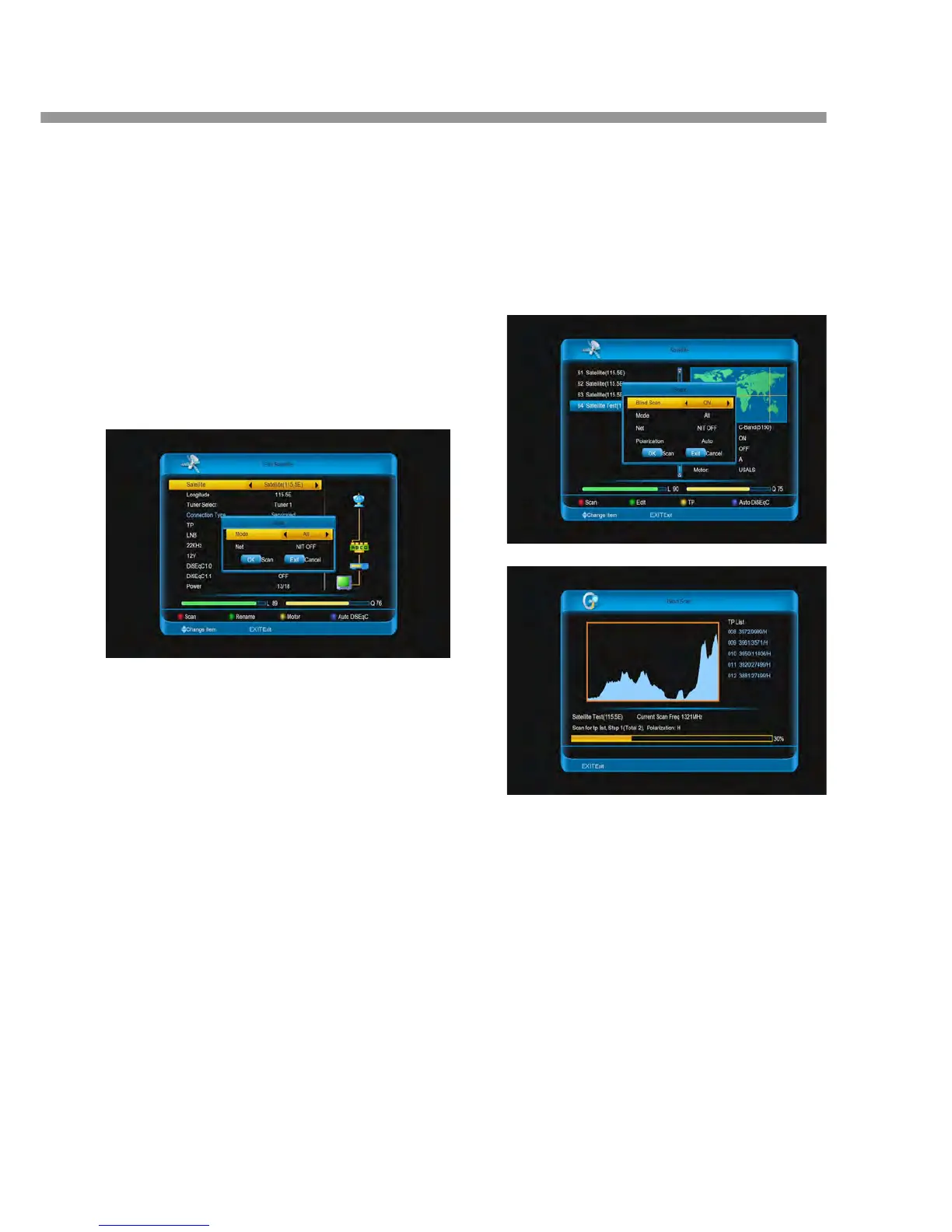
1. All: Scan all type channels it can find.
2. FTA: Scan free channels.
3. ALL_TV: Scan all TV channels.
4. FTA_TV: Scan free TV channels.
5. ALL_RADIO: Scan all radio.
6. FTA_ RADIO: Scan free radio.
Net: Select NIT ON to receive the latest
transponder information.
4. Press [ok] button to scan.
5. When the search has completed, select save and
press [ok] button to save the found channels and
exit.
Note: Press [EXIT] button to stop the channel search.
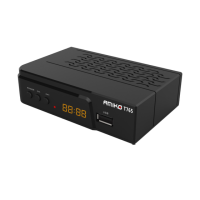
8.1.4 Blind Scan channels
This function is scan channels but don't need manual
add TP in transponder list. First, it automatic add
transponders that has single, then scan channels belong
those transponders.
1. Go to satellite list.
2. Press [▲, ▼] buttons to select one satellite.
3. Press [red] button.
4. Press [◄, ►] buttons to select ON.
5. Press [◄, ►] buttons to select Mode among All,
FTA, aLL TV, FTA_TV, ALL_RADIO and FTA_RADIO.
All: Scan all type channels it can find.
FTA: Scan free channels.
ALL_TV: Scan all TV channels.
FTA_TV: Scan free TV channels.
ALL_RADIO: Scan all radio.
FTA_ RADIO: Scan free radio.
6. Press [◄, ►] buttons to select Net between NIT
OFF and NIT ON.
NIT ON: To receive the latest transponder
information.
7. Press [
◄, ►] buttons to sel
ect Polarization a
Auto, H and V.
Auto: Scan channels that the polarization
and V.
H: Scan channels that the polarization is H.
V: Scan channels that the polarization is V.
8. Press [ok] button to scan.
8.1.5 Settin Transponder
The available transponder for each satellit


 To Next Page