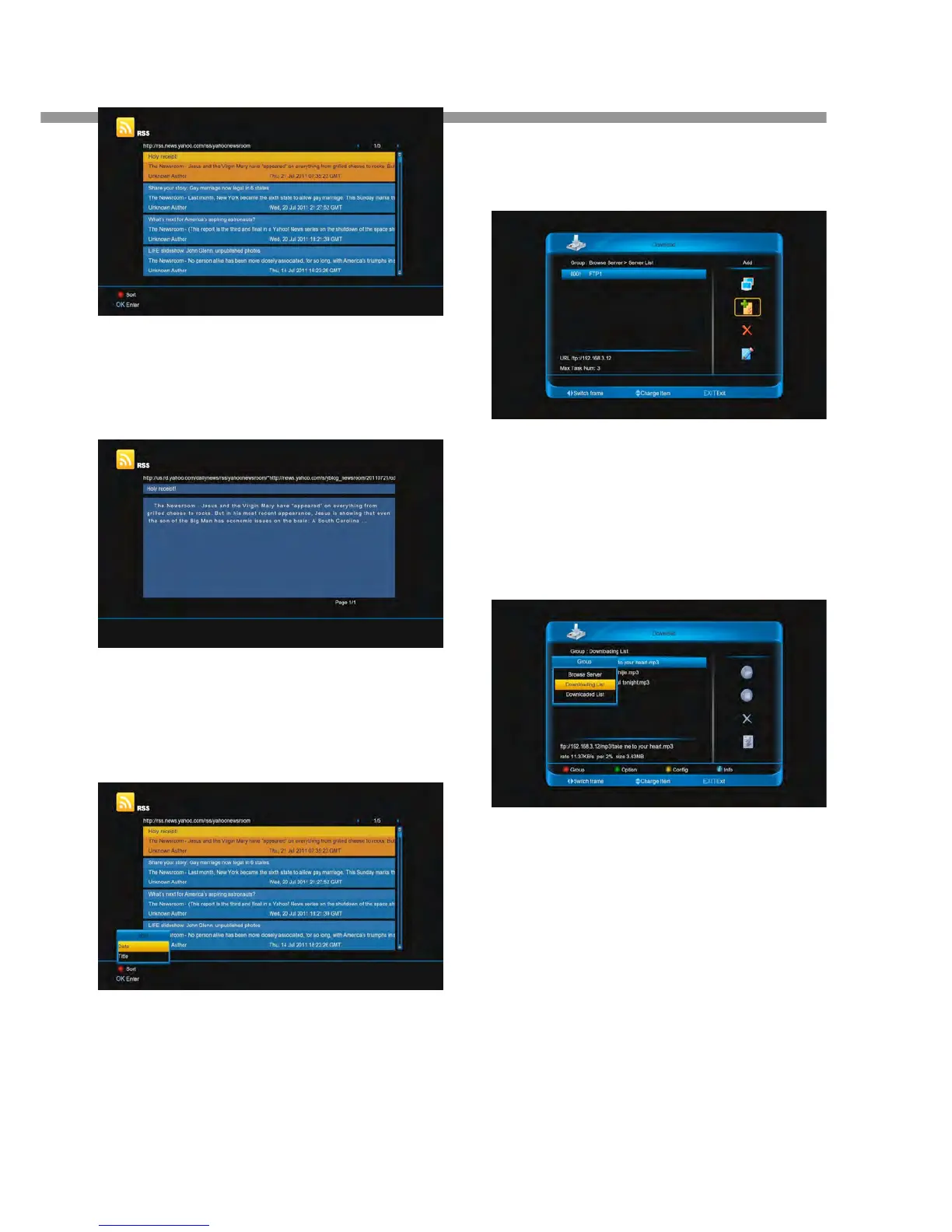
3. Press [ok] button to display detail information.
4. If it has several pages, press [P+/P-] buttons to
display anterior or next page.
14.4.5 Sort the news list
1. In the list, press [red] button.
2. Press [▲, ▼] buttons to select Date or Title.
3. Press [ok] button.
14.5 Opera
This menu is a Browser that called opera. You can use it
like IE.
14.6 FTP Client
This menu use to download file from FTP server
14.6.1 Switch Group
When the cursor is on the left column:
1. Press [red] button.
2. Press [▲, ▼] buttons to select Browse Se
Downloading List or Downloaded List.
3. Press [ok] button.
14.6.2 Option
When the cursor is on the left column:
1. Press [green] button.
2. Press [▲, ▼] buttons to select Select All, Uns


 To Next Page