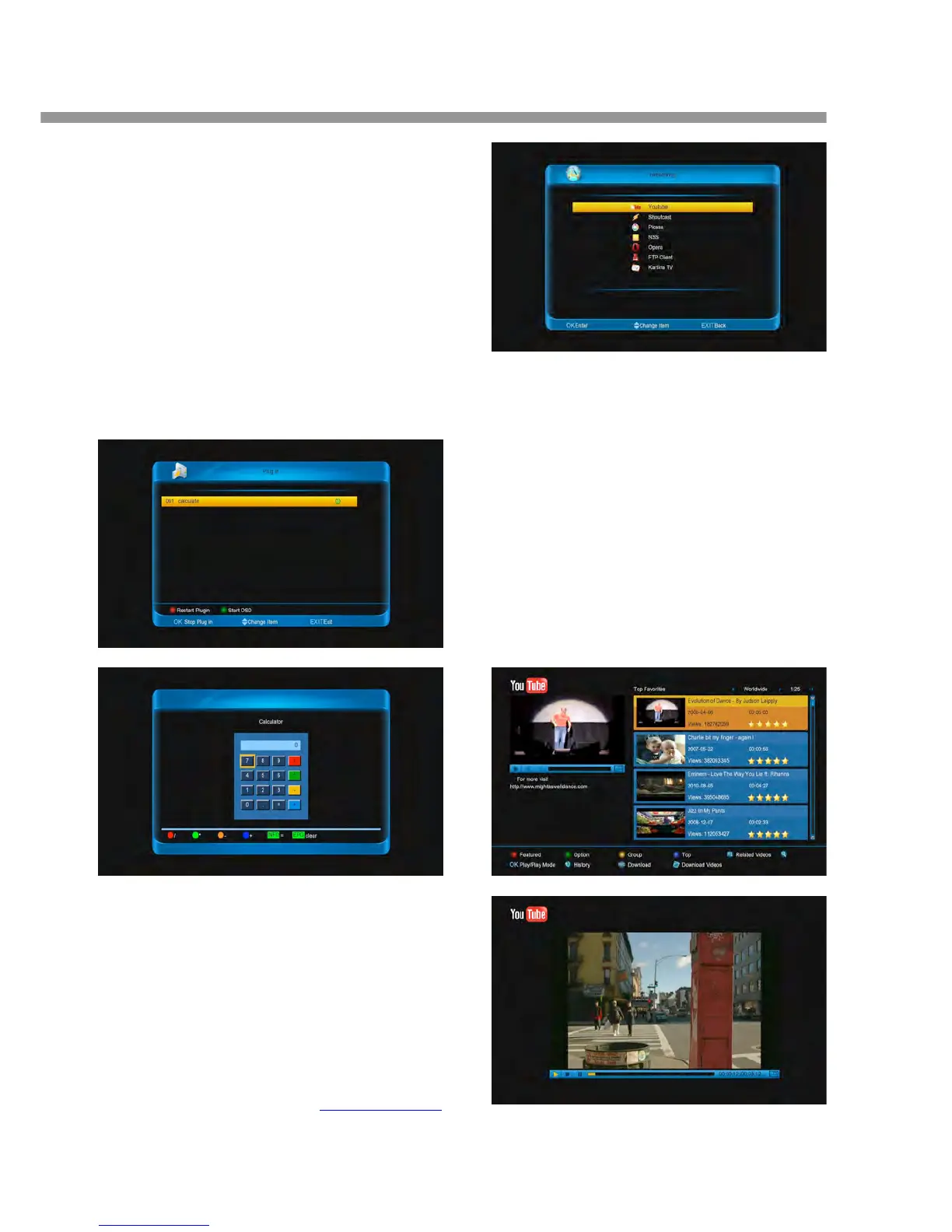
13 Plug In
This menu is allows user install software by self. It
supports the number of software by the hardware. It
only has a calculating at first.
13.1 Using the calculating
1. Press [ok] button to start the function.
2. Press [green] button to enter into menu.
3. Press number buttons to input.
4. Press color and [INFO] buttons to input operator.
5. Press [EPG] button to clear the input.
14 Networking
This menu is some internet applications. There are
Youtube, Shoutcast, Picasa, RSS, Opera, Portal,
kartina TV, YouPorn.
14.1 Youtube
Youtube can play stream media in www.youtube.com.
14.1.1 Play the video
1. Press [ok] button to connect and display the lis
2. Press [red] button to display the featured video
3. Press [▲, ▼] buttons to select a video.
4. Press [ok] button to downloading and playin
6. Press [ZOOM] button, the video will play in
screen.
7. Press [PAUSE] button to pause the video.
8. Press [PLAY] button to continue play video.
9. Press [STOP] button to stop the video.


 To Next Page