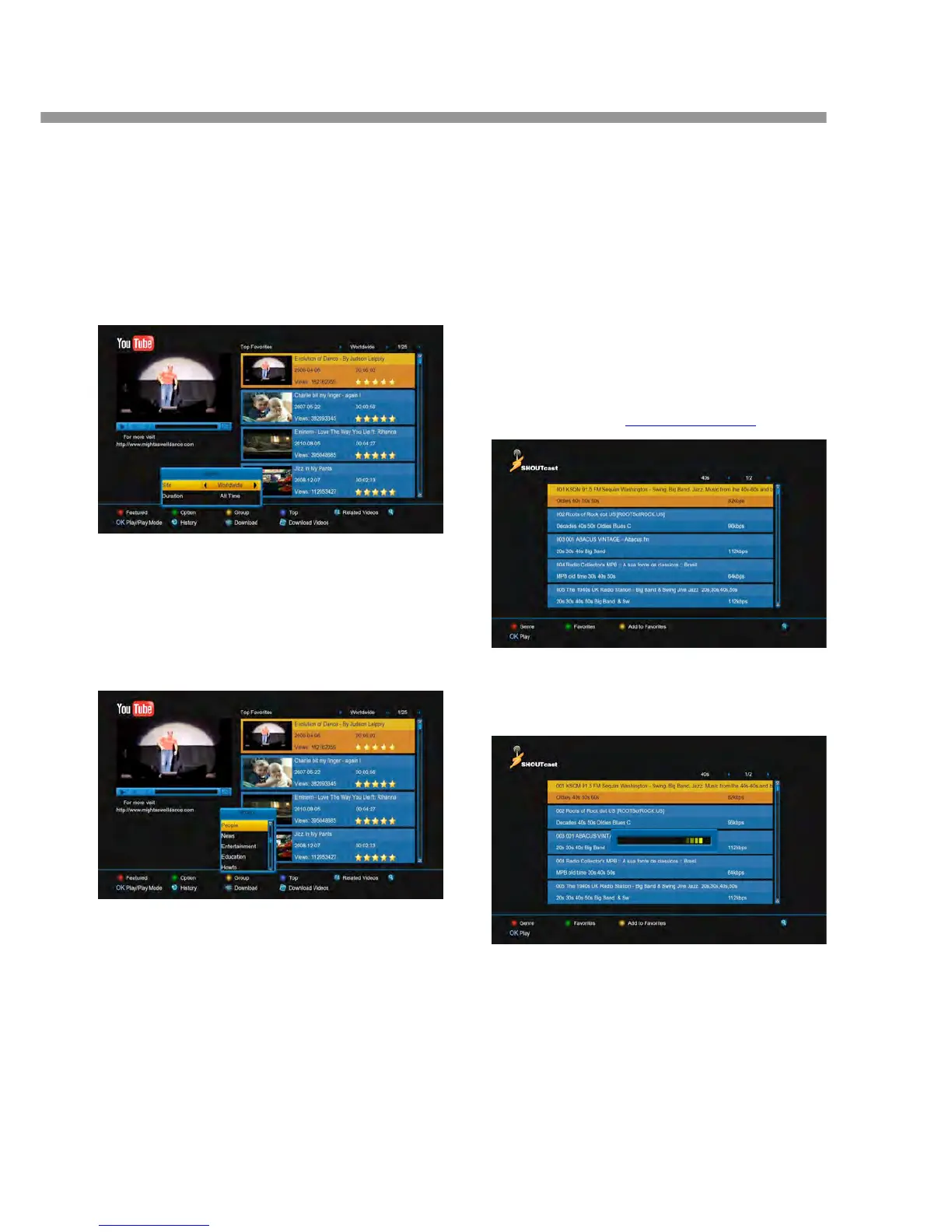
14.1.2 Sort for the list
1. Press [green] button.
2. Press [▲, ▼] buttons to select Site or Duration.
Site: it includes Germany, Worldwide, Poland and
so on.
Duration: it includes All Time, This Week, This
Month and so on
14.1.3 Change group
1. Press [yellow] button.
2. Press [▲, ▼] buttons to select an option.
Game, News, Tech, Movie and so on.
3. Press [ok] button.
14.1.4 Display the top video
1. Press [blue] button.
2. Press [▲, ▼] buttons to select an option.
Top favoufites, Top rated, Most views, Most
recent and so on.
3. Press [ok] button.
14.1.5 Display the relate videos
Press [F1] button to display the relate videos about the
highlight video.
14.1.6 Download the video
1. Go to the System->PVR/HDD Setting->You
2. Press [RECORD] button to start downloading
video file.
3. Press [FOLDER] button to enter into
downloading list.
14.2 Shoutcast
This menu is radio in www.shoutcast.com.
14.2.1 Play the radio
Press [ok] button to downloaded and then play it.


 To Next Page