8
3. Users can also calibrate either point. To calibrate
33% only, press “ESC” and exit when 33%
calibration is completed. To calibrate 75%
only, press “p” or “q”within 5 minutes while
initializing 33% calibration. To abort calibration,
just turn off the meter.
USB Interface Capabilities
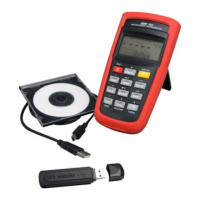
The USB cable and software (optional kit) are required
to transfer data to a PC. Install the USB driver in the
software first before connection.



 To Next Page