1.4 JOYSTICK
The AMSOFT joystick model JY1 is an additional item that you may wish to purchase if you are
using the CPC464 computer with software games which incorporate the facility for joystick control,
and ‘firing’ within the game. The JYl can be plugged into the back of your computer using the 9-way
socket marked USER PORTS (I/O). The Amstrad CPC 464 computer can be used with two joysticks.
The second JY1 joystick should be plugged into the socket on the first joystick.
JOYSTICK PLUG (9-way)
SOCKET FOR SECOND
JY1 Joystick controller
1.5 Welcome Cassette
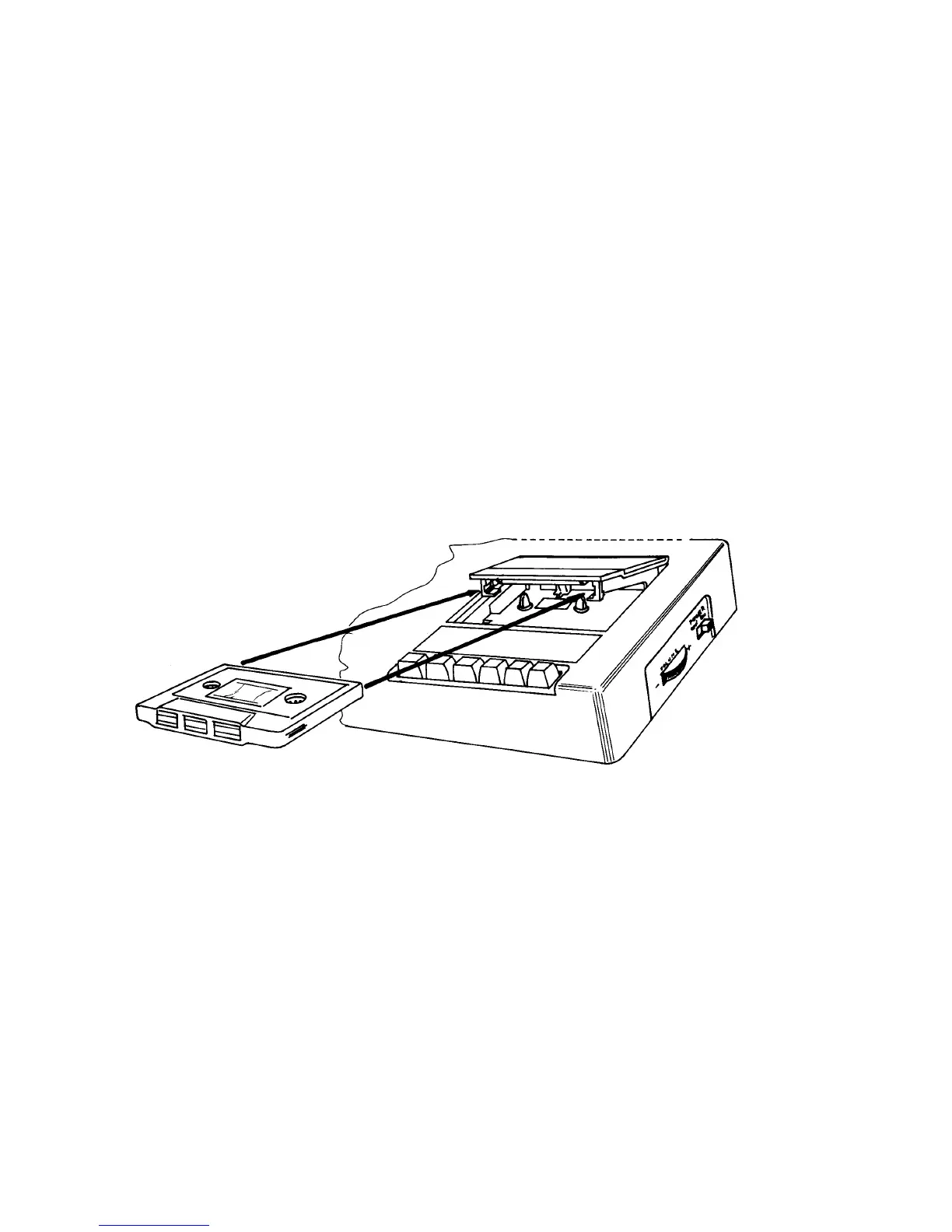
Packed into one of the polystyrene end caps in your computer packaging, you will have found the
‘Welcome’ cassette tape. Open the door on the Datacorder unit by pressing the key marked
[STOP/EJECT], and then insert the cassette into the Datacorder of the computer as shown in figure
3 - make sure that the ‘SIDE 1’ printing is uppermost:
Figure 3 The right way to insert a cassette into the Datacorder
Close the lid until it latches shut, press the [REW]ind key on the datacorder to ensure that the tape
is rewound to the start. As soon as the tape stops, press the [STOP/EJECT] key. Reset the tape
counter to 000 by pressing the COUNTER RESET button.



 To Next Page