8
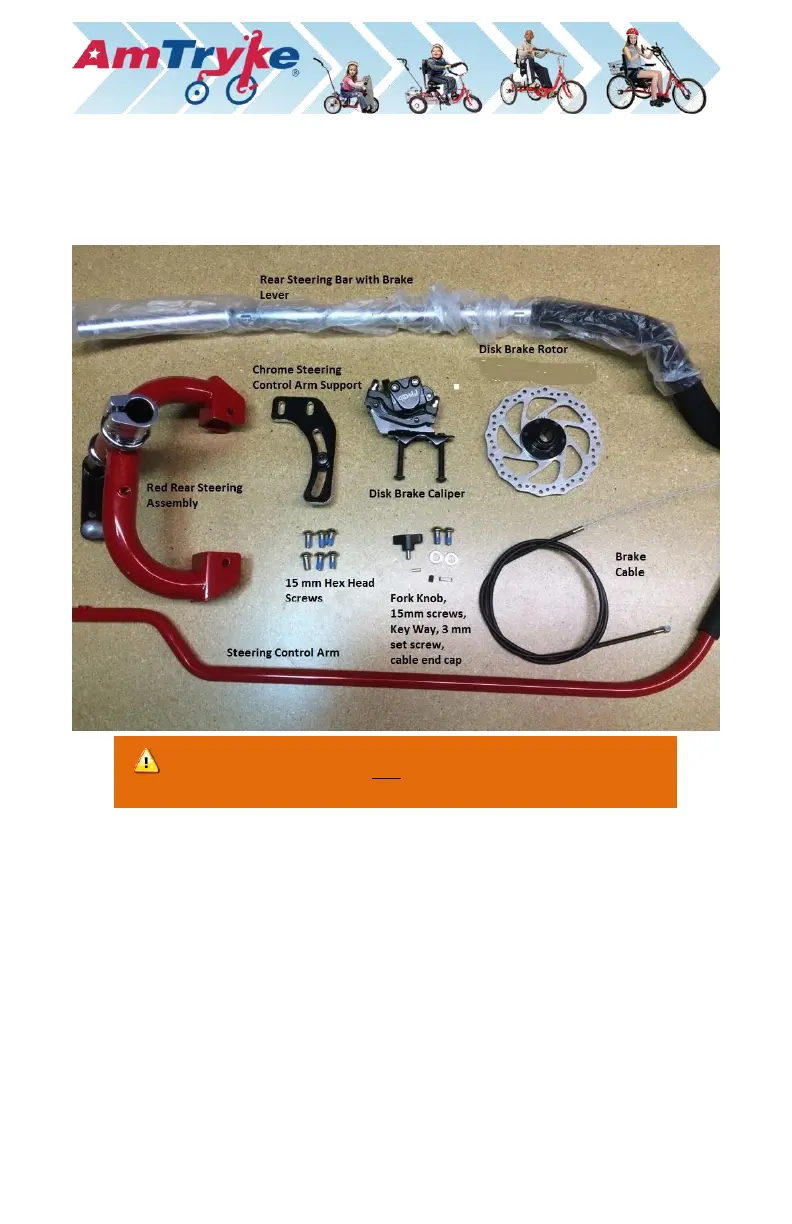
Rear Steering 1500 Kit - optional
Available on ProSeries 1416, 1420, and 1420-XL Amtrykes
(Part #: 30-50-1516; 30-50-1520; 30-50-1420-XL)
1. Install Rear Disc Brake Rotor and Disc Caliper on the left rear wheel axle of
the main frame. The left side is determined from the perspective of riding
the tryke.
a.) Turn axle until the oblong oval slot in the axle faces upwards
b.) IMPORTANT: Insert 15mm Key Way into the slot in the axle
c.) Slide on the disc brake rotor (with screw opening on the hub to the
outside) until it is flush with rear frame. There is a notch in the rotor
that will allow it to slide over the Key Way until it is no longer visible.


 To Next Page