30
VIDEO OUT
VIDEO
S-VIDEO
OPTICAL
OUT
DIGITA
L
T
U
N
E
R
FM
75
AM
VIDEO
L
R
+
-
+
-
SPEAKER
Customer Service 1 626 968 6860
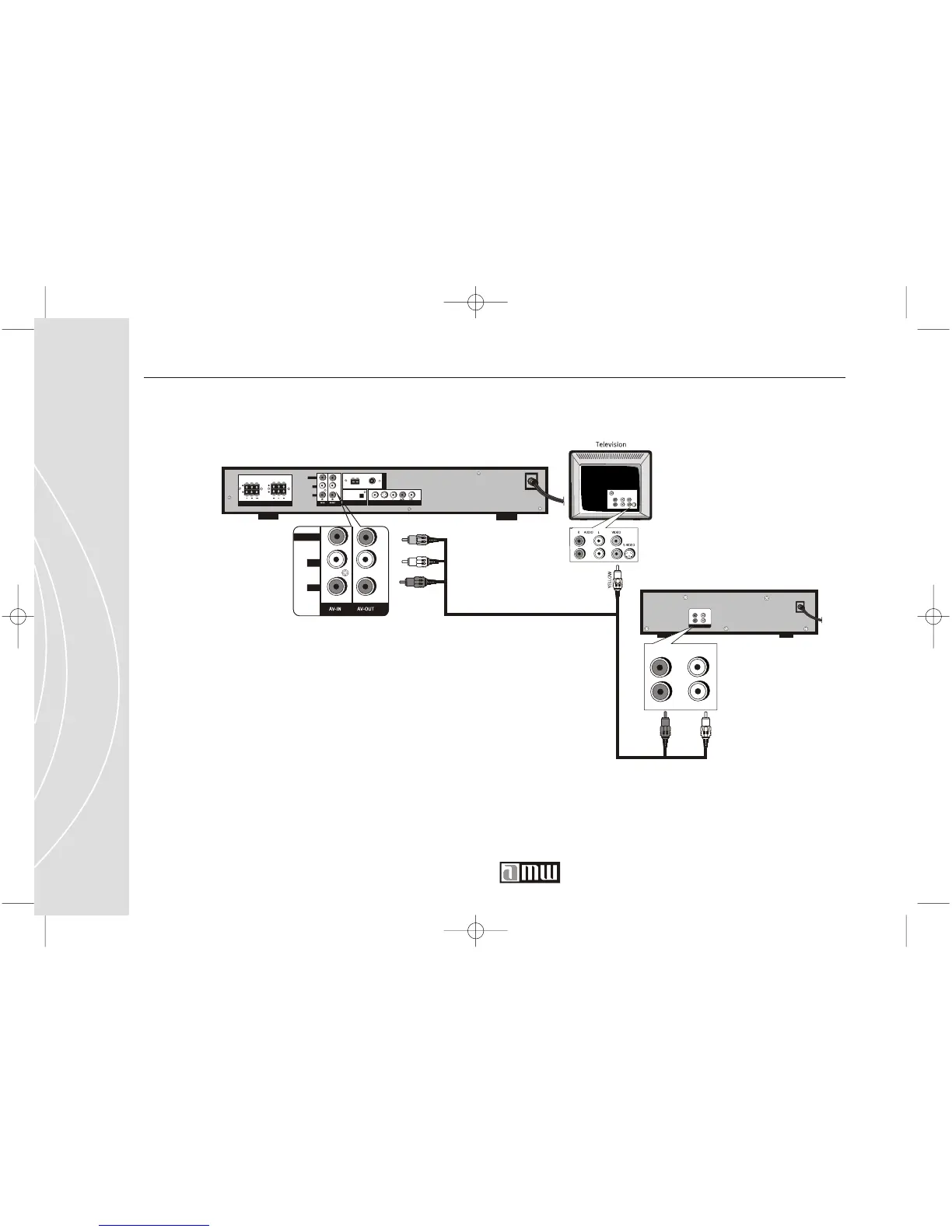
Direct Audio Connection to your Stereo Receiver (Stereo Sound)
If your stereo receiver is close enough to your TV then you can use the same
RCA A/V cable used to make the video connection from your DVD Player to
your TV. Connect the red (right) and white (left) cable plugs to the RCA A/V
inputs on your stereo receiver.
T342 DVD player (back)
RED
WHITE
YELLOW
Stereo Receiver (back)
RED
WHITE
Audio out
R AUDIO L
R AUDIO L
VIDEO
L
R
AV AV



 To Next Page