43
Basic Operations
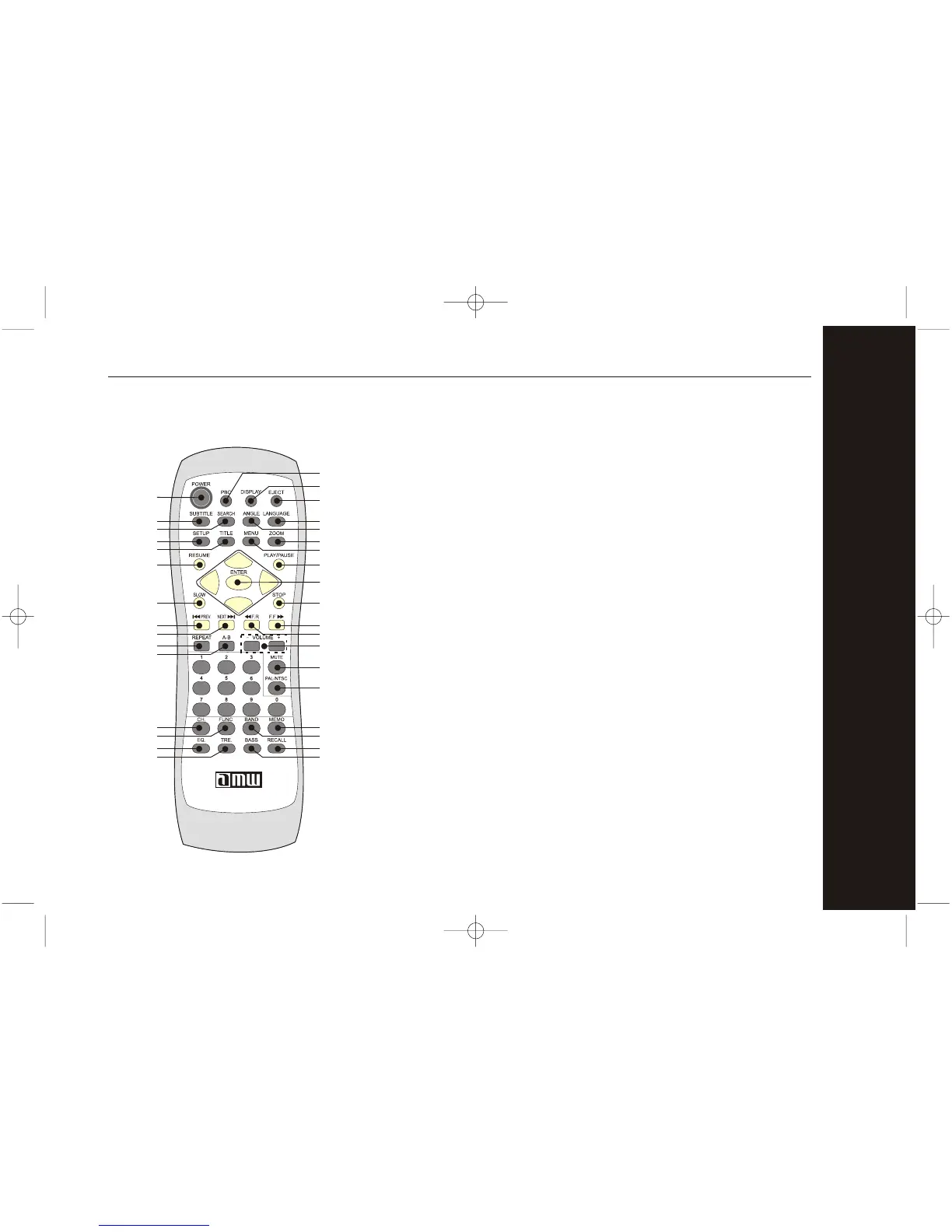
Remote Control Buttons
1. POWER
Press this button to turn on Player, and the logo
will be shown on the screen. Press again to turn
off the player.
2. PBC
program selected chapter. After this material is
completed, the root menu will appear. Press
(off) to play movie uninterrupted.
3. DISPLAY
Press this button once to display Title elapsed time.
Press this button twice to display Title remain time.
Press this button third time will display Chapter
elapsed time, fourth time will display Chapter
remain time, fifth time will display Displlay off.
1
2
3
4
8
13
14
15
16
17
25
5
6
7
9
10
11
12
21
18
19
20
22
23
24
26
30
27
28
29
34
31
32
33



 To Next Page