40
Customer Service 1 626 968 6860
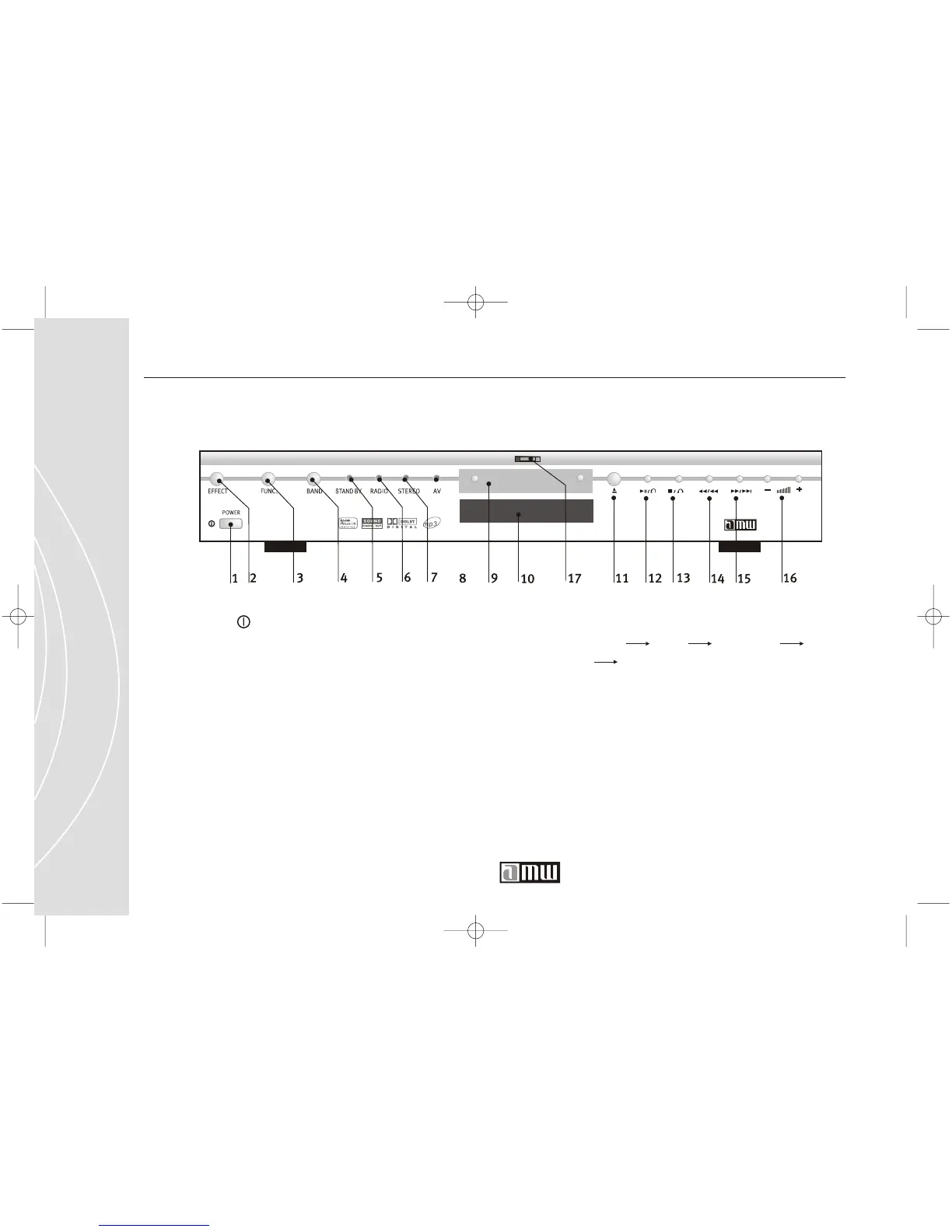
1. POWER
Press this button to turn on Player, and press
again to turn off the power. Press the power
button on the remote controller to turn on
Player, and the power symbol will be shown
on the screen.
2. EFFECT: button that activates the sound
effects function. There are 7 types EQ
settings.
3. FUNC.: button that activates the
function
option. "AV1" "AV2" "SPDIF IN"
"TUNER" "DVD PLAYER". It's a recurring
operation.
Front Panel Buttons
4. BAND: button that activates the band
function.
5. STAND BY: light that shows player is on
standby mode.
6. RADIO: light that shows radio is selected.



 To Next Page