32
VIDEO OUT
VIDEO
S-VIDEO
OPTICAL
OUT
DIGITA
L
T
U
N
E
R
FM
75
AM
VIDEO
L
R
+
-
+
-
SPEAKER
BLACK
VIDEO
S-VIDEO
OUT
DIGITAL
T
U
N
E
R
FM 75
AM
STEREO (back)
Audio out
R AUDIO L
VIDEO
Opticall
R AUDIO L
VIDEO
Optical
Customer Service 1 626 968 6860
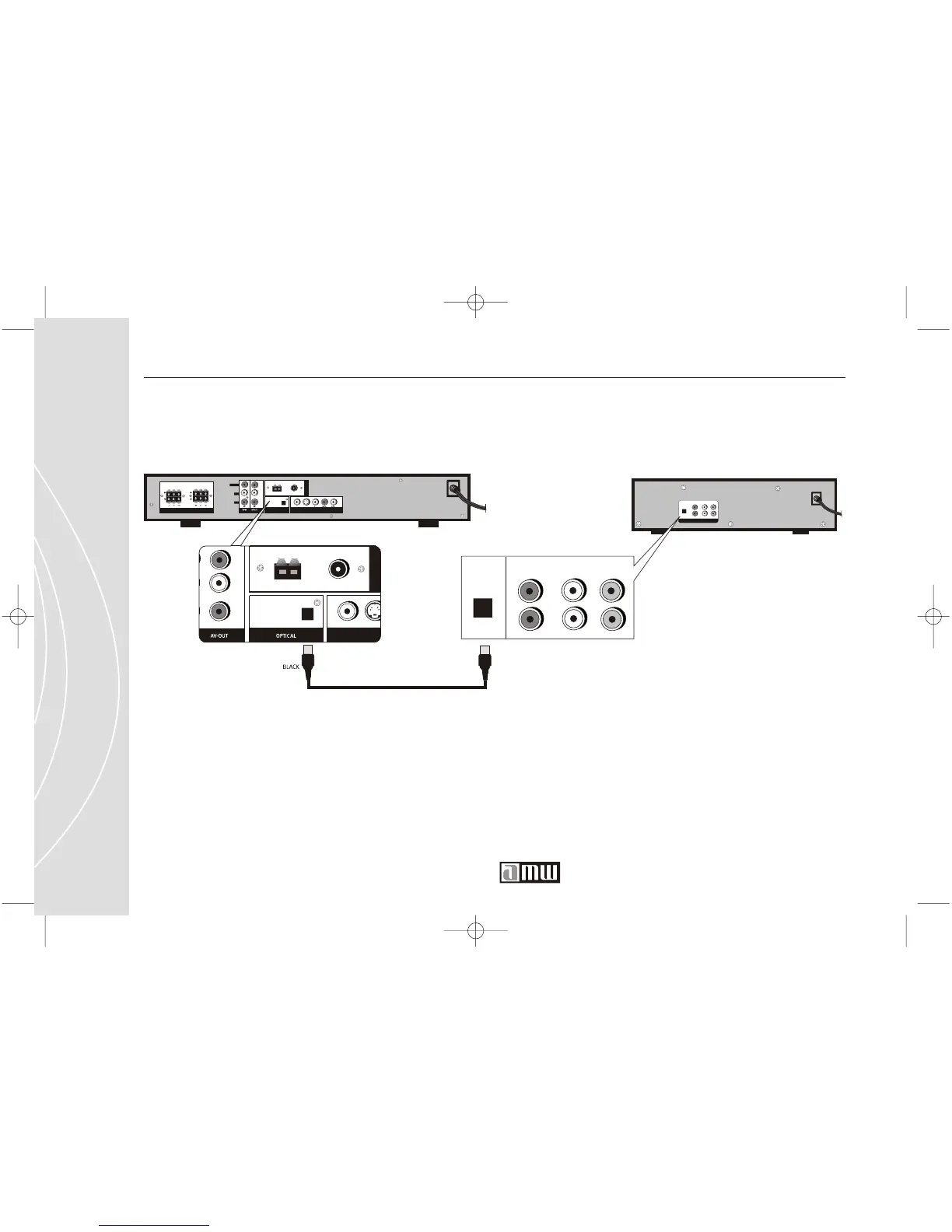
Direct Audio Conection to your Stereo Receiver (Dolby Digital 2 / 5.1)
If your stereo receiver allows a Dolby Digital 2 / 5.1 connection, you will need
a Optical cable (not included). Conect the digital Optical cable from the back
of the DVD player to the back panel of the stereo receiver. You will have to
go to the System Preferences Screen( page 68) and select Audio
configuration/ Audio out and finally SPDIF/SPDIF RAW.
T342 DVD player (back)
Stereo



 To Next Page