Hardware Installation
14 Andover Controls Corporation
Connecting the AC Power Cable
to the Power Supply
Warning
Be sure the controller is not receiving AC power while you are wiring
it, or you could receive an electrical shock that is life-threatening.
The AC power connection is in the upper right corner of the controller.
You must wire the AC cable to the three screws on the far right.
Caution
Be sure to connect all three wires, HOT, NEUTRAL, and GROUND.
Otherwise, the controller could malfunction.
The three screws are labeled HOT NEU GND.
1. Place the hot wire under the metal plate behind the screw labeled
HOT.
2. Tighten the screw with a flathead screw driver.
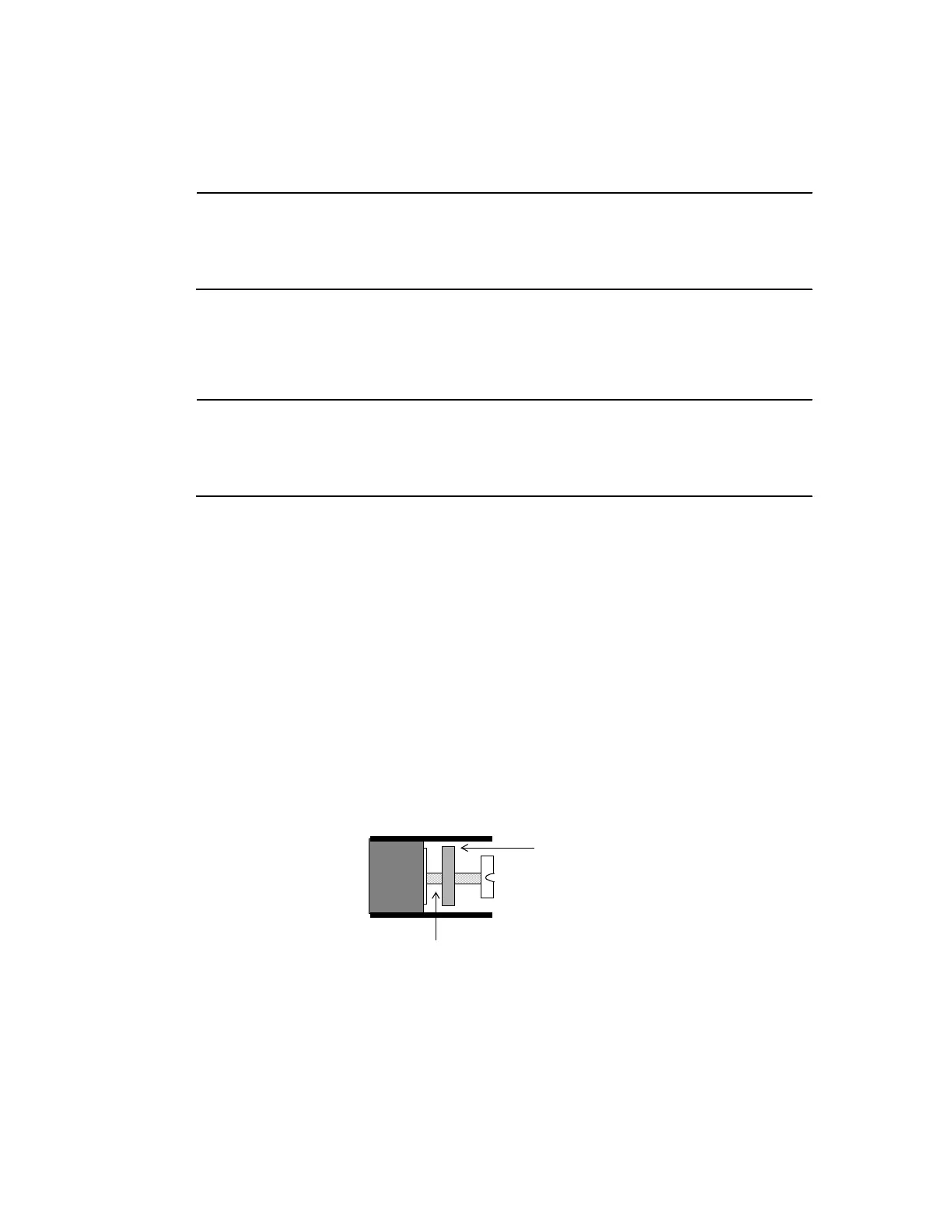
Figure 3 shows the position of the plate, where to place the wire, and
how the screw fits on the plate. You can see how the screw holds the
plate in place once you tighten it.
Figure 3. Metal Plate and Screw for Power Supply Wire
3. Place the neutral wire under the metal plate behind the screw labeled
NEU.
Insert Wire Here
Metal Plate
Technical Manuals Online! - http://www.tech-man.com



 To Next Page