63 64
Network setting functional operation
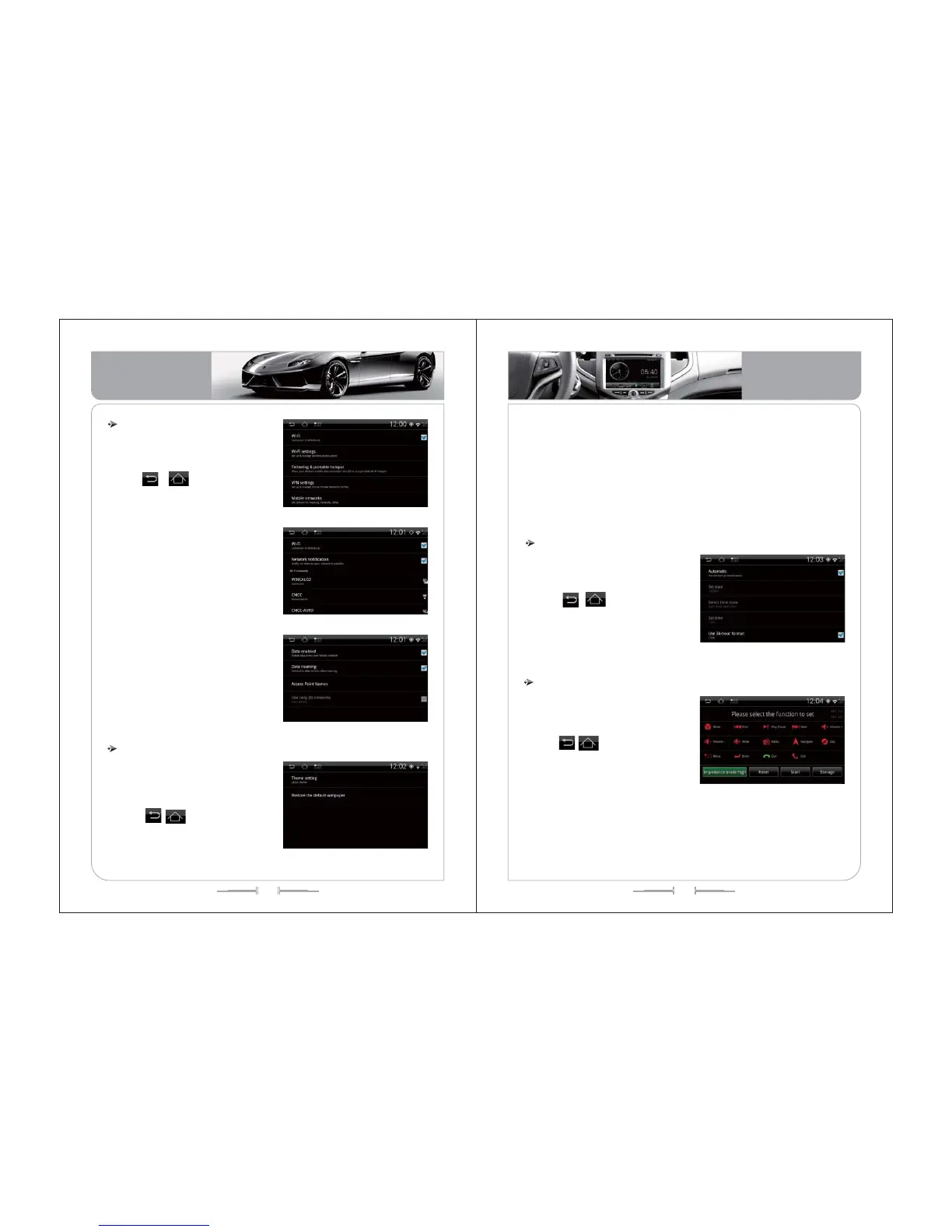
In the system setting interface, click
“network setting” icon enter into the network
setting interface.
Click , icon or (home) button
or (back) to exit
1) Click on the "mobile network" icon, enter
the network settings interface, set up the
network data switch, network data roaming
switch and access point settings, only use
the 2G network switch
2) Click the name of access point to enter
the setting switch and the system has been
preset operator access point. So please set
the operator access point according to the
location of the vehicle, otherwise it may
affect the normal use of the wireless
network
3) Click “mobile network” enter into mobile
network setting. When open only 2G
network, 3G high-speed internet access will
be closed. At that time, the system's network
speed will be reduced, so please set
according to the actual situation, as (picture-
162).
( -160)picture
( -161)picture
( -162)picture
( -163)picture
Individuation setting functional operation
1) Individuation setting contains the settings of product theme and restores
wallpaper.
2) The theme settings preset sets of screen theme (different types of products
will be preset different screen theme), select a theme and apply to the product,
the style will be changed accordingly.
3) Wallpaper settings: you can choose the picture file as the background of the
main interface; the browsing pictures can also be saved in the specified
background image position to set the wallpaper.
In the system setting interface, click
“individuation setting” icon to enter to
individuation setting interface, as
(picture-163);
Click , icon or (home) button
or ( back) to exit.
Date and time zone setting function
In the system setting interface, click
“date and time zone setting” icon enter to
time zone interface, as (picture-164);
Click , icon or (home) button
or ( back) to exit.
1) You can set the date display, time zone
selection, time setting in the date and time
zone setting interface. Click the "Auto” can
automatically update the time.
( -164)picture
Steering wheel setting functional operation
In the system setting interface, click
“steering wheel setting” icon enter into
vehicle setting interface, as(picture-165):
Click , icon or (home) button or
(back) to exit.
Touch any icon in interface, click “start” icon, and press on the steering wheel
where you want to set the function keys. The interface will have parameter display.
Touch “storage” icon, it means set successfully when appears a successful prompt in
the interface. If failure, press “reset” icon to re-repeat the above steps.
( -165)picture
Basic Operation
Basic Operation


 To Next Page