Note: Each time you power ON your Camera, the internal thermometer will need to
calibrate to ensure accuracy. This automatic process will take approximately 30 minutes.
The colour changing temperature display, by default, will be turned “OFF”. You may turn
this feature “ON” in the settings mode on your Parent Unit.
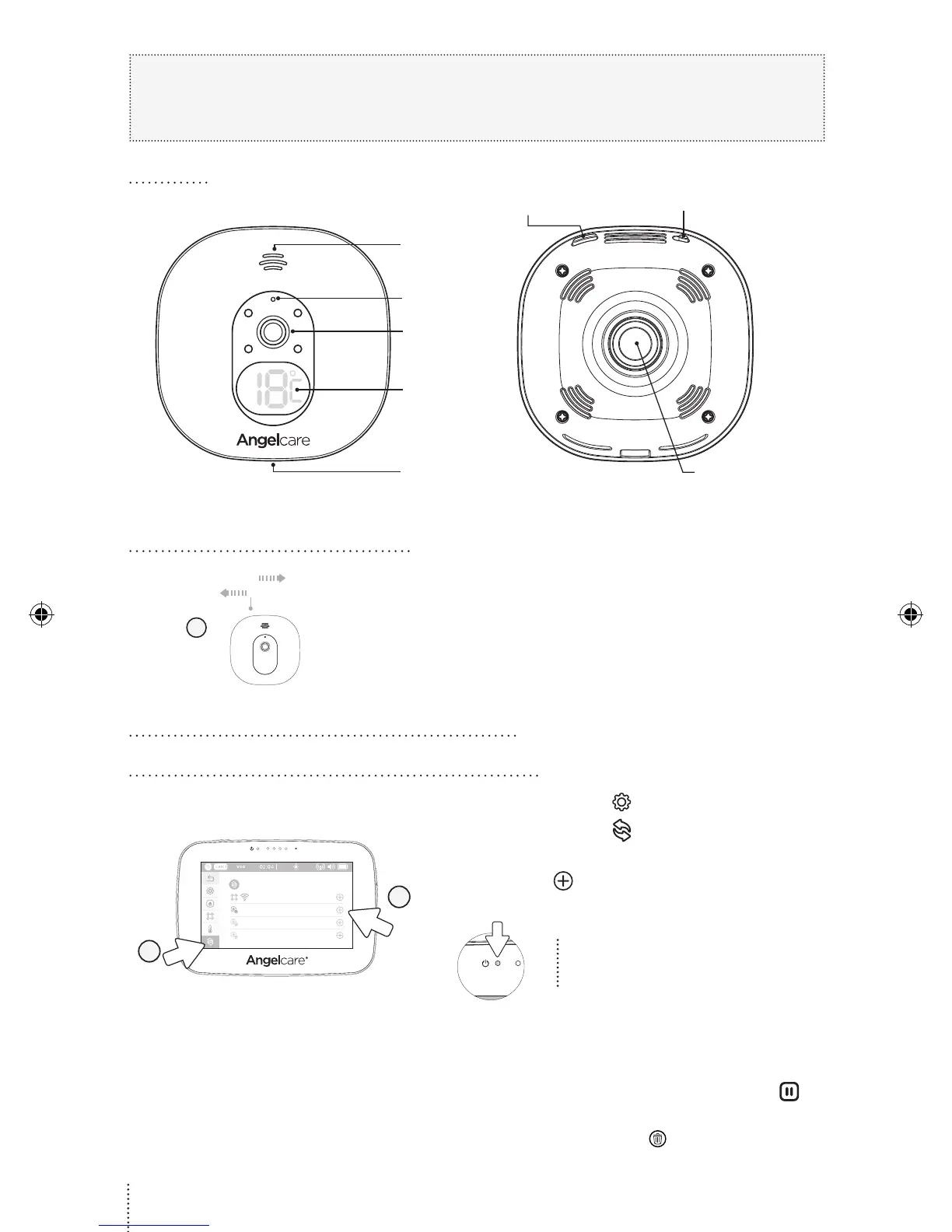
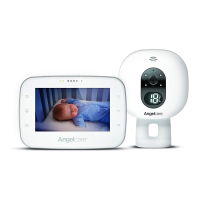
CAMERA
Front Side
Speaker
Microphone
Camera
Room
temperature
display
Micro USB
charging port
Rear Side
Magnet for
tabletop stand
and wall mount
POWER ON/OFF
Pause Sensor Pad/
Pairing button
1.2 TURNING ON YOUR CAMERA
1
ON
OFF
1) Slide the Camera ON/OFF switch to the ON position.
FOR MODEL AC417, AC510 & AC517
2.1 PAIR THE CAMERA WITH THE PARENT UNIT
18°C
3
2
1) Tap the Settings icon in the video display view.
2) Tap the Pairing icon to enter the device
pairing menu.
3) Tap the icon to select/highlight CAMERA 2
(icon will be grayed out).
The Parent Unit Power Indicator
will flash to indicate it’s in
linking mode.
4) Plug in and turn your Camera ON.
5) Press and hold the Pause / Pairing button
on the top right of the Camera for 2-3 seconds.
6) When the Trash can icon appears, the
Camera is paired.
4
01m3A_Manuel_AC-CAM_ROW_12699.indd 4 18-01-31 12:13


 To Next Page