EN 20 2011/04
OptiBean
3.10.7 Software
3.10.8 PIN-code
2
3.10.9 OptiLight
3.10.10 Contrast
3.11 Energy safe mode
The machine in energy safe mode uses less energy. The recipe buttons are still active and the boiler
cools down in steps of 5 °C. After choosing a recipe the machine needs some time to heat up the boiler.
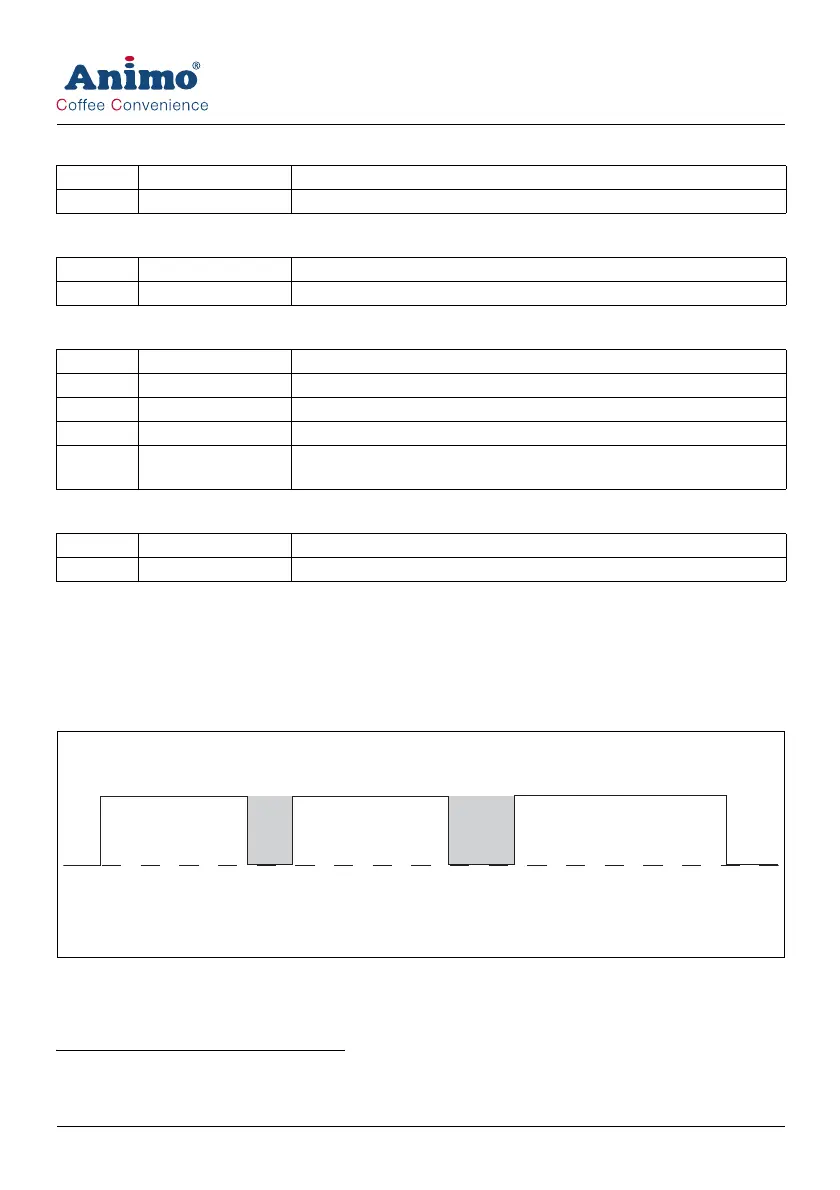
Example:
Three set switching times
The machine switches on at 9.00/12.00/14.00 automatically. The machine is on standby at
11.00/13.00/15.00. During standby mode the control panel is switched off and the boiler temperature
drops to the set boiler temperature.
1. The quick recipe menu is only available if it has been activated by the service engineer.
Screen Item Description
1.6 Software To show the software version.
2. For service personnel only.
Screen Item Description
1.7 PIN-code To enter the service menus.
Screen Item Description
1.8.0 Red To set the amount of red in the colour [0-100%].
1.8.1 Green To set the amount of green in the colour [0-100%].
1.8.2 Blue To set the amount of blue in the colour [0-100%].
1.8.3 Random To show all colours of the complete colour spectrum [0-60 min]. 0 =
not active.
Screen Item Description
1.9 Contrast To set the contrast of the display [0-100%].
12 3
9.00 - 11.00
12.00 - 13.00
14.00 - 15.00













 To Next Page