EN 24 2011/04
OptiBean
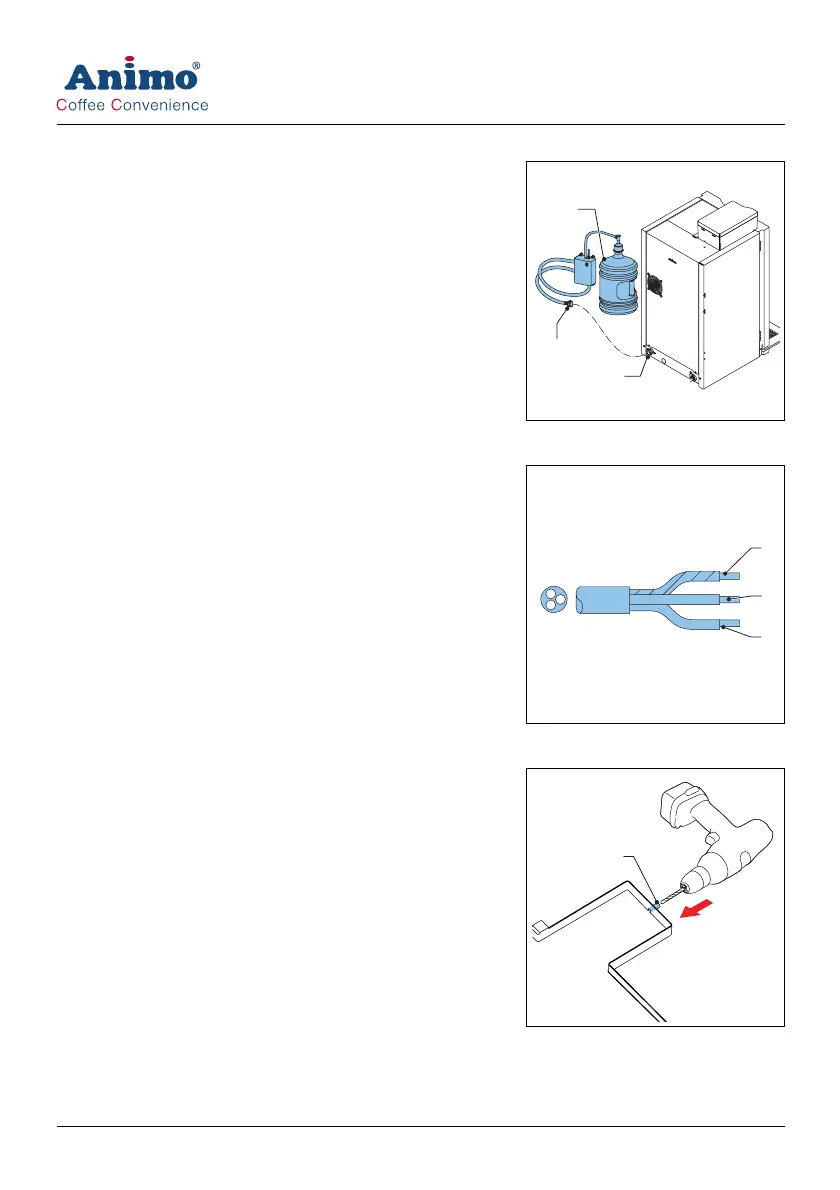
4 If necessary, connect the machine (A) with the hose (B) to
the stand-alone pump set (E).
5 Make sure that the minimal water pressure is not below 2 bar
(at 5 l/min flow pressure).
4.2.4 Electrical connection
The machine is provided with an electrically suitable plug as
advised and provided by the installer.
1 Connect the green/yellow coloured wire (A) either to the
terminal which is either marked with PE, the earth symbol, or
coloured green/yellow.
2 Connect the blue coloured wire (B) to the terminal which is
either marked with N or coloured black.
3 Connect the brown coloured wire (C) to the terminal which is
marked with L.
4.2.5 Drip tray discharge
1 Open the drip tray discharge (A) with a drill (Ø 6 mm).
2 Connect a waste hose to the drip tray.
B
A
C
A
B
C
A













 To Next Page